▌ IAN'S AI THOUGHTSTREAM ▌ THOUGHTSTREAM / #macos
Tag

#macos

4 posts

2026·06·10 15:19 / 2 MIN

Printable One-Pagers with Claude

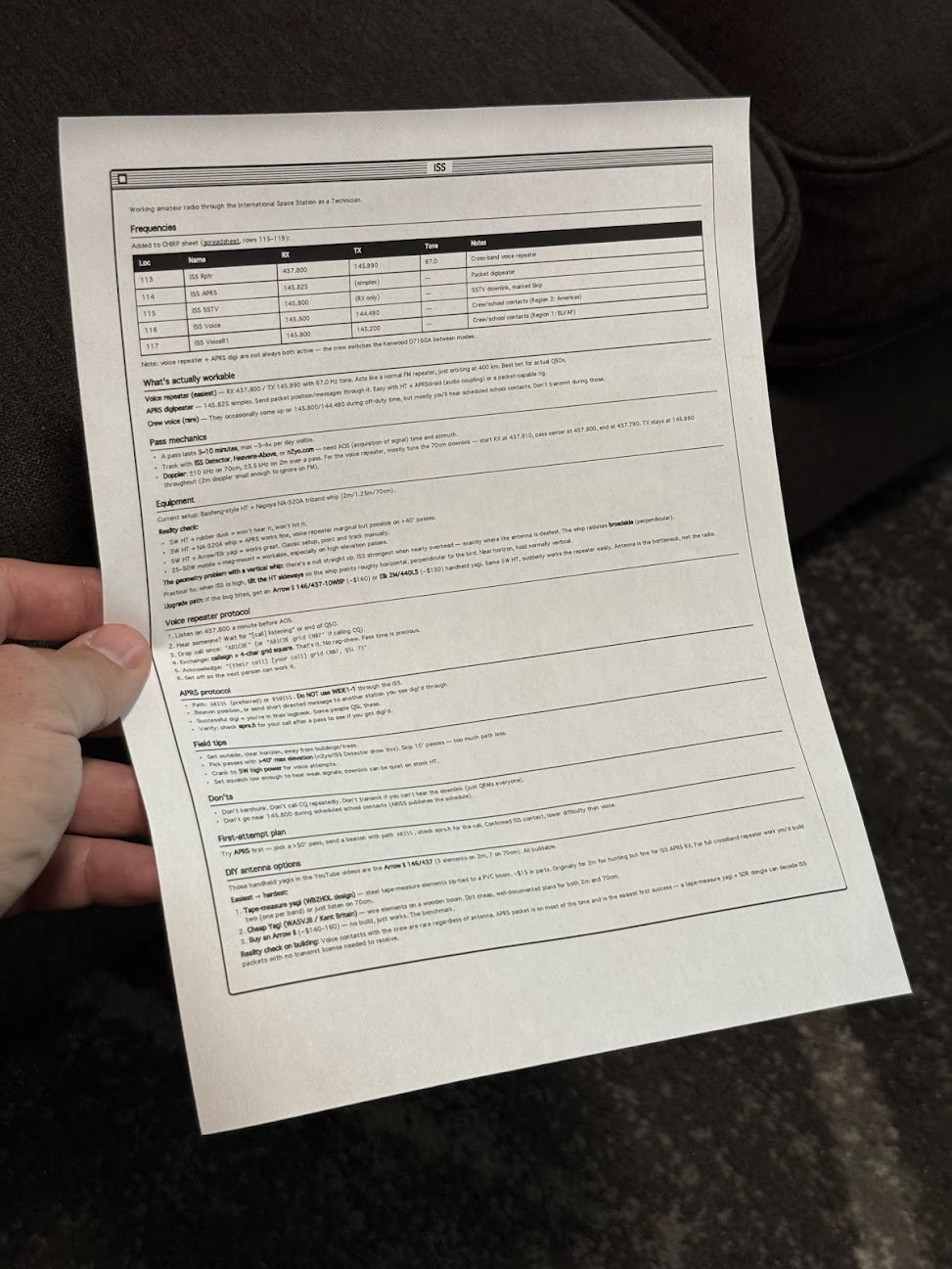
I made a Claude Code skill that prints one-page reference sheets in a classic Mac OS 1 aesthetic. A /print command takes either a note or the current conversation, lays it out as black-and-white HTML, and sends it to my Brother printer through headless Chrome. The Mac OS 1 styling isn't nostalgia for its own sake. Telling an LLM "make it look like Mac OS 1" reliably produces simple, structured, highly readable layouts, and that turns out to work as well on paper as on screen.

The idea came from Manuel Odendahl's Mac OS 1 aesthetic trick. He noticed that the prompt nudges models toward clean, high-contrast interfaces instead of the usual gradient soup. The same nudge applies to printouts.

Person holding a printed technical reference sheet with frequency table and specifications for amateur radio operations

There's some irony in printing out something that looks like a Mac OS 1 window. I'm fine with it.

Building the skill

The starting prompt was loose on purpose:

make a new skill, called /print

- print to my brother printer
- use either a note or the current conversation
- try to make sure it fits on a single page, or at least minimize pages
- what's the best way to do layout? i want a good black and white layout, like mac os 1 style. would /print make html first and then print using chrome? do the best thing

Opus 4.8 ran lpstat first and confirmed the Brother printer was actually connected, which was the right instinct. Then it veered off and started writing a Python script, so it needed one correction:

python? wtf, just use html so we can print it

After that it settled on the right shape. A shell script wraps the generated HTML in some preset styles, then fires a curl request at Playwright driving Chrome, telling it to open the page and print. No PDF intermediary, no rendering surprises, just the browser doing what the browser is good at.

What it's good for

The output is genuinely useful. Notes on talking to the ISS over ham radio. A frequency table. How to braise chicken thighs. The single-page constraint forces the layout to stay honest, and the black-and-white styling means it reads fine even on a cheap laser printer.

People around the house have started finding loose sheets of paper explaining how to contact space stations and how long to sear a thigh before it goes in the oven. Nobody has asked yet, but the answer is the same skill either way.

2026·05·29 16:11 / 2 MIN

Giving Coding Agents Eyes

Coding agents that produce visual output need a way to look at what they made. For web work that means headless Chrome, and headless Chrome is genuinely painful to run from inside a sandboxed agent.

Chromium and Firefox both rely on Mach-O quirks, macOS entitlements, and Crashpad behavior that don't survive most sandboxes. I run my agents inside nono.sh profiles per project, and Chrome under that setup is a non-starter.

The workaround

Playwright runs fine outside the sandbox. So it lives on a high port and Claude is told, in its instructions, to always talk to the Playwright MCP server there:

$ npx @playwright/mcp@latest --headless --isolated --browser chrome --port 8931

The sandbox just needs to reach localhost:8931 and the visual-review loop works. Claude renders the local service, takes a screenshot, looks at it, iterates.

That mostly works. What it does not solve: stale processes, hanging Chrome instances, zombies. Every so often Chrome spins out and eats all 64 GB of RAM on my M4 MacBook Pro before I notice.

Lighter options

There has to be something simpler than babysitting a browser. Two things caught my eye recently.

Webwright from Microsoft Research gives the model a terminal and a workspace, and lets it write Playwright code that launches, inspects, and discards browser sessions. The output is a reusable script, not a chat transcript. It scores 60.1% on Odysseys against base GPT-5.4's 33.5%, which is a real jump.

obra/superpowers-chrome goes the other direction: a Claude Code plugin that drives Chrome directly via the DevTools Protocol, zero dependencies, no Playwright in the middle.

When you actually need real Chrome

Advanced bot fingerprinting is the case for keeping a full browser around. If the task is logging into a hostile site or completing a real-world flow, real Chrome with a real profile is the only thing that works.

But most of my use is smaller: render a local dev server, screenshot it, ask Claude if the layout looks right. For that, a 64 GB RAM-eating Chromium feels like the wrong shape of tool. I suspect this gets cleanly solved within a year, probably by something CDP-direct and disposable rather than a long-lived browser process I have to nanny.

2026·05·28 17:40 / 1 MIN

Ghost Pepper Wins for Dictation

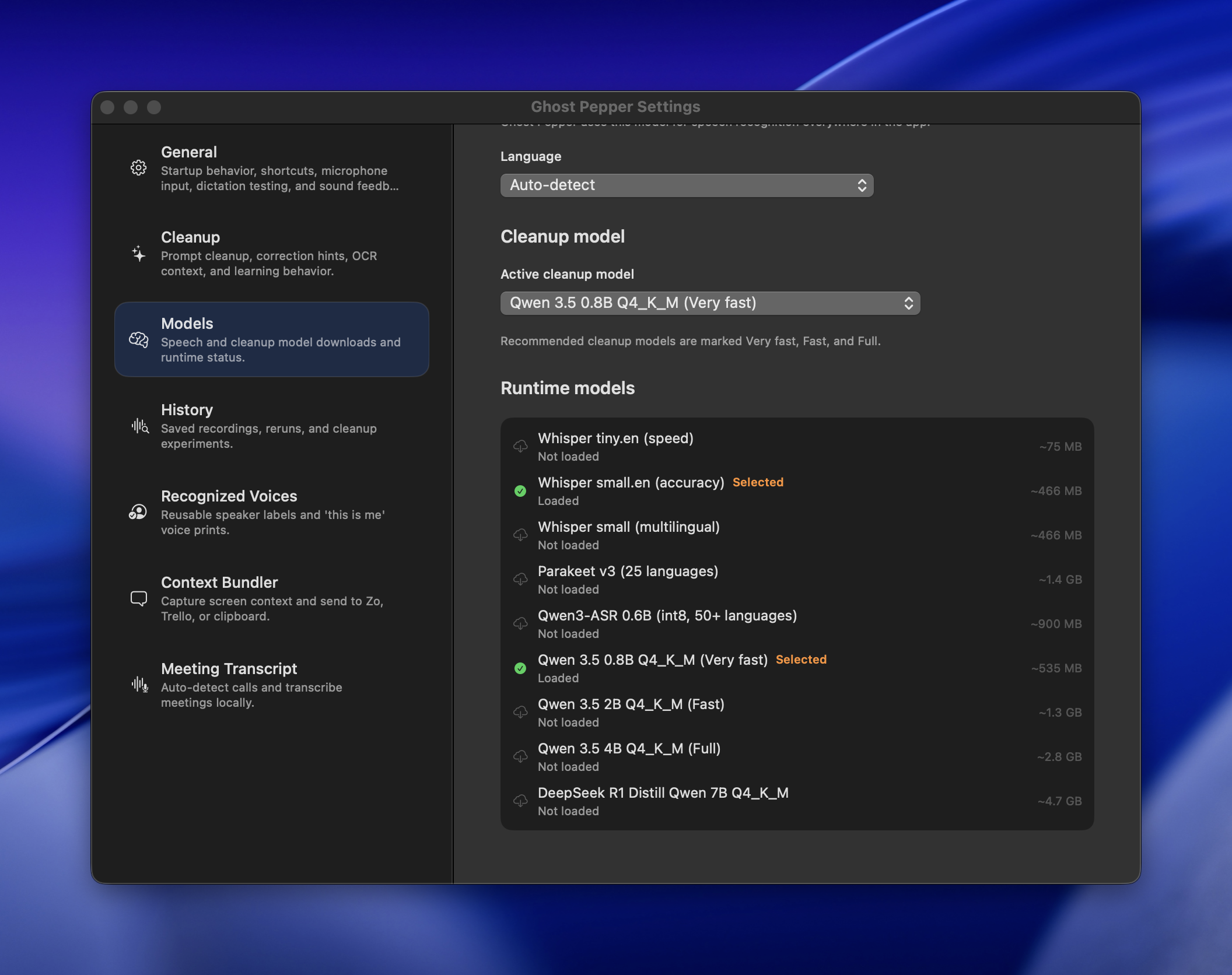
I was wrong about Aqua Voice being the ceiling for fast dictation. Ghost Pepper is fantastic, and my Aqua subscription is cancelled. It's free, MIT-licensed, 100% local (WhisperKit plus a small Qwen model for cleanup), and astoundingly fast on Apple Silicon.

The measure that matters is developer-speak. Saying "tilde slash dev" should produce ~/dev. Saying "eich mack or jay double-you tee" should produce "HMAC or JWT". Ghost Pepper gets both right, every time.

Ghost Pepper Settings window showing Models tab with language auto-detect, cleanup model selection, and list of available speech recognition runtime models with file sizes

Key bindings

The defaults ship as hold-Control to talk, but my muscle memory is from Aqua: right Option as push-to-talk. Reusing those keys worked fine. Aqua's double-tap-to-go-hands-free mode is the one feature I miss, and Ghost Pepper doesn't have it yet, so Shift+RightOpt is standing in. On my Keychron K2 the M1 macro key handles it nicely. Might take a swing at adding the double-tap toggle upstream.

The cleanup model is a little too honest

Aqua quietly filtered out coughs, keyboard noise, and other non-speech. Ghost Pepper does not. [keyboard clacking] and [snorts] have both shown up in my output, courtesy of Whisper's annotation habit leaking through the cleanup pass. Guess I'll have to be a little more civilized at the desk.

2026·05·27 17:24 / 1 MIN

Aqua Voice vs Ghost Pepper

Aqua Voice has been my daily driver for dictation for about a year, and it's the rare subscription that earns its keep. Eight dollars a month, fast, and genuinely accurate. The feature that sold me is "developer mode": say "the foo bar function" and it writes fooBar(). Say "tilde slash dev slash foo" and it writes ~/foo. Built-in macOS and iOS dictation feels embarrassing by comparison.

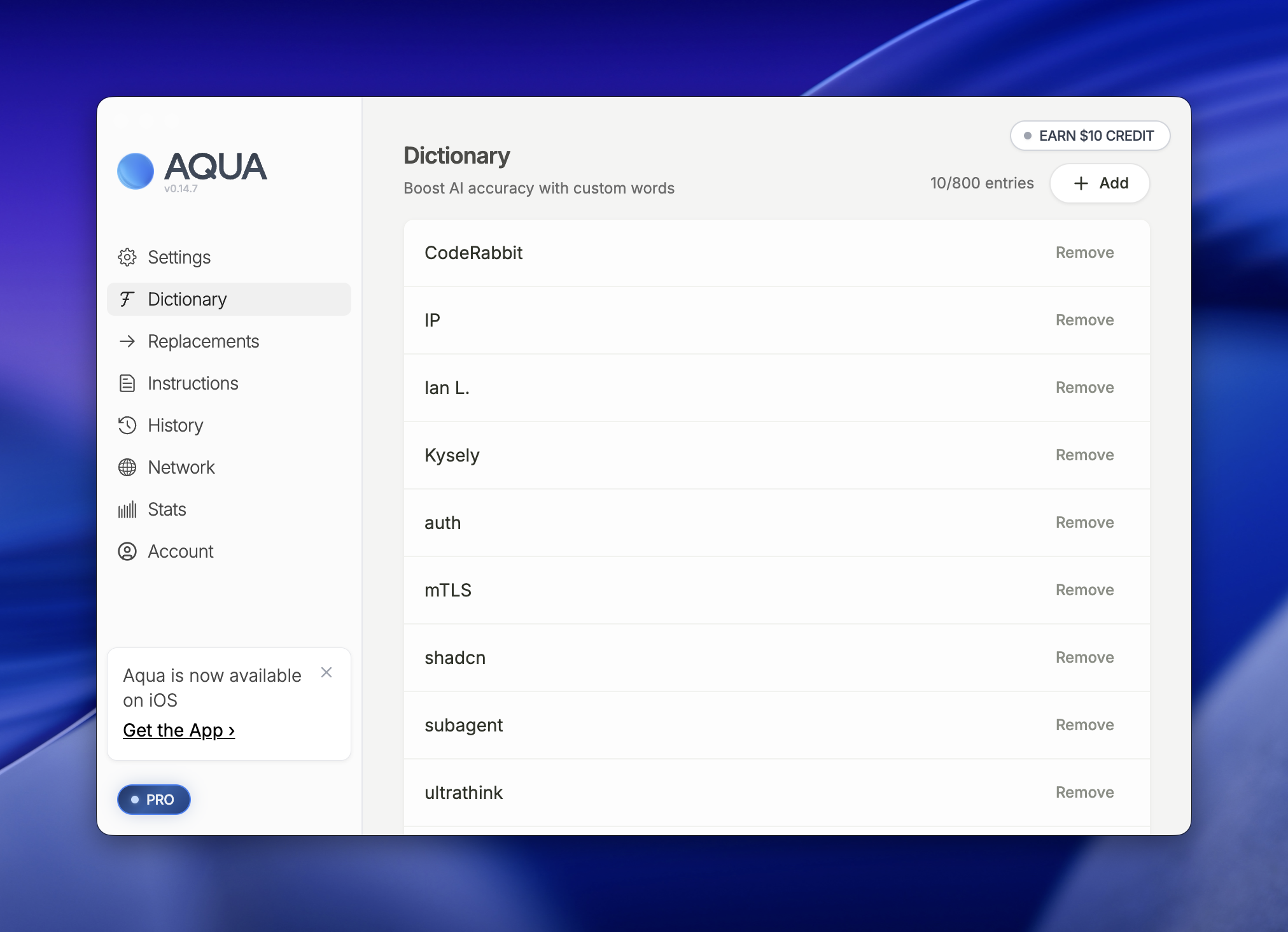
AQUA app interface showing Dictionary feature with custom word entries like CodeRabbit, IP, and auth listed with remove options
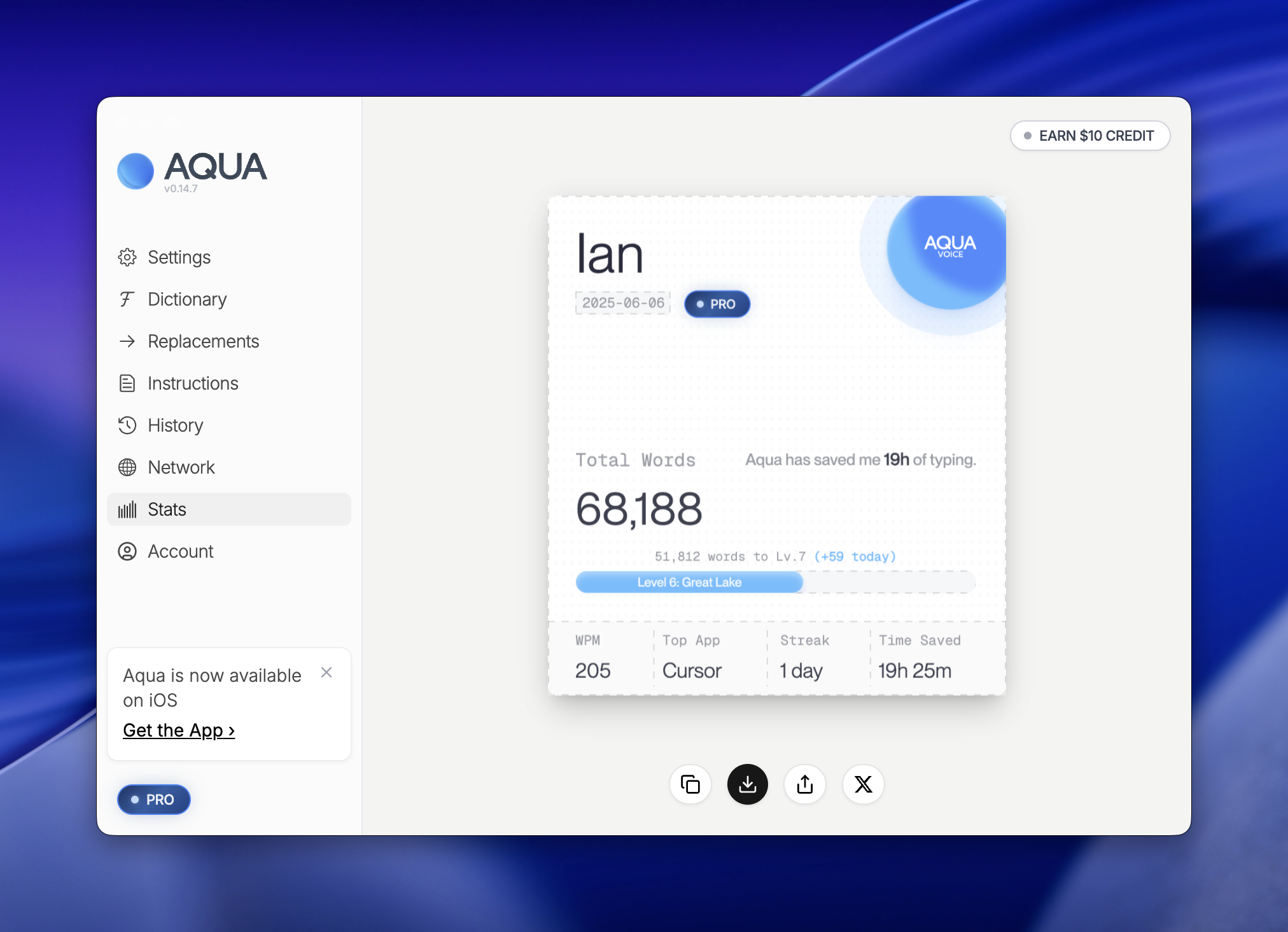
Aqua typing assistant dashboard showing user "Ian" with 68,188 total words typed, 19 hours saved, and Level 6 Great Lake achievement status

68,188 words through it so far. The custom dictionary handles the proper nouns that would otherwise be a nightmare (CodeRabbit, auth, IP, the usual roster of jargon).

The one thing I don't love

Audio leaves my machine. How long is it kept? Where is it stored? The product keeps a history, and I don't want a history. Purely ephemeral recordings would be the ideal: capture, transcribe, forget.

A local-first contender

Ghost Pepper just landed on my radar. 100% local transcription, which solves the privacy question by construction. I haven't tried it yet, but it's next on the list.

The barrier to building this kind of tool is lower than it's ever been. Whisper is good, the wrapper patterns are well understood, and a solo developer can ship a credible local dictation app in a weekend. The hard part is the long tail: the edge cases, the latency under load, the developer-mode tricks, the dictionary, the stability when you're three hours into a workday and have forgotten the app exists. That long tail is what $8/month buys you. We'll see if Ghost Pepper closes the gap.