Printable One-Pagers with Claude
I made a Claude Code skill that prints one-page reference sheets in a classic Mac OS 1 aesthetic. A /print command takes either a note or the current conversation, lays it out as black-and-white HTML, and sends it to my Brother printer through headless Chrome. The Mac OS 1 styling isn't nostalgia for its own sake. Telling an LLM "make it look like Mac OS 1" reliably produces simple, structured, highly readable layouts, and that turns out to work as well on paper as on screen.
The idea came from Manuel Odendahl's Mac OS 1 aesthetic trick. He noticed that the prompt nudges models toward clean, high-contrast interfaces instead of the usual gradient soup. The same nudge applies to printouts.
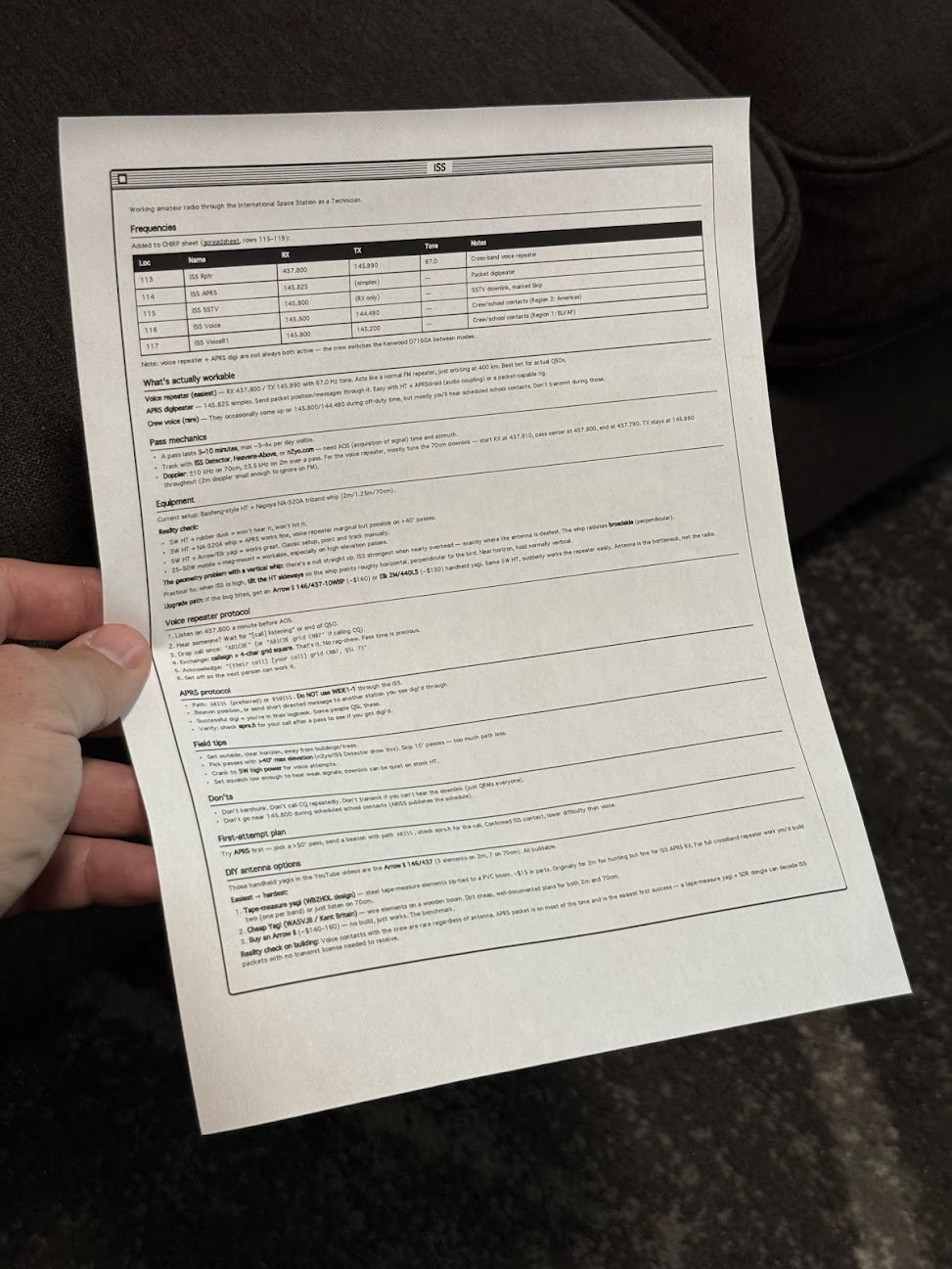
There's some irony in printing out something that looks like a Mac OS 1 window. I'm fine with it.
Building the skill
The starting prompt was loose on purpose:
make a new skill, called /print

- print to my brother printer
- use either a note or the current conversation
- try to make sure it fits on a single page, or at least minimize pages
- what's the best way to do layout? i want a good black and white layout, like mac os 1 style. would /print make html first and then print using chrome? do the best thing
Opus 4.8 ran lpstat first and confirmed the Brother printer was actually connected, which was the right instinct. Then it veered off and started writing a Python script, so it needed one correction:
python? wtf, just use html so we can print it
After that it settled on the right shape. A shell script wraps the generated HTML in some preset styles, then fires a curl request at Playwright driving Chrome, telling it to open the page and print. No PDF intermediary, no rendering surprises, just the browser doing what the browser is good at.
What it's good for
The output is genuinely useful. Notes on talking to the ISS over ham radio. A frequency table. How to braise chicken thighs. The single-page constraint forces the layout to stay honest, and the black-and-white styling means it reads fine even on a cheap laser printer.
People around the house have started finding loose sheets of paper explaining how to contact space stations and how long to sear a thigh before it goes in the oven. Nobody has asked yet, but the answer is the same skill either way.
Sketched by a human, rewritten with AI / claude-opus-4-8