I downgraded my Claude subscription from $200/mo to $100/mo and started paying Cursor $60/mo instead. The trigger was Wednesday's Claude outage, but the real reason is that GLM-5.2 through Cursor has been fast enough and good enough that the math stopped favoring Opus. If a model is 80% as good as Opus 5 but roughly 7x faster, I'll take the speed and pay for the 80%.
The unscientific test
Same workspace, same CLAUDE.md/AGENTS.md, high effort on both. The prompt was "make a quick tetris game as an html file," followed immediately by "now use cyberpunk colors."
Two setups: Cursor running GLM-5.2, and Claude Code running Opus 5.
GLM finished in 53 seconds. Opus took 7 minutes 5 seconds, though a good 2-3 minutes of that was Opus testing the game with Playwright, which GLM didn't do.
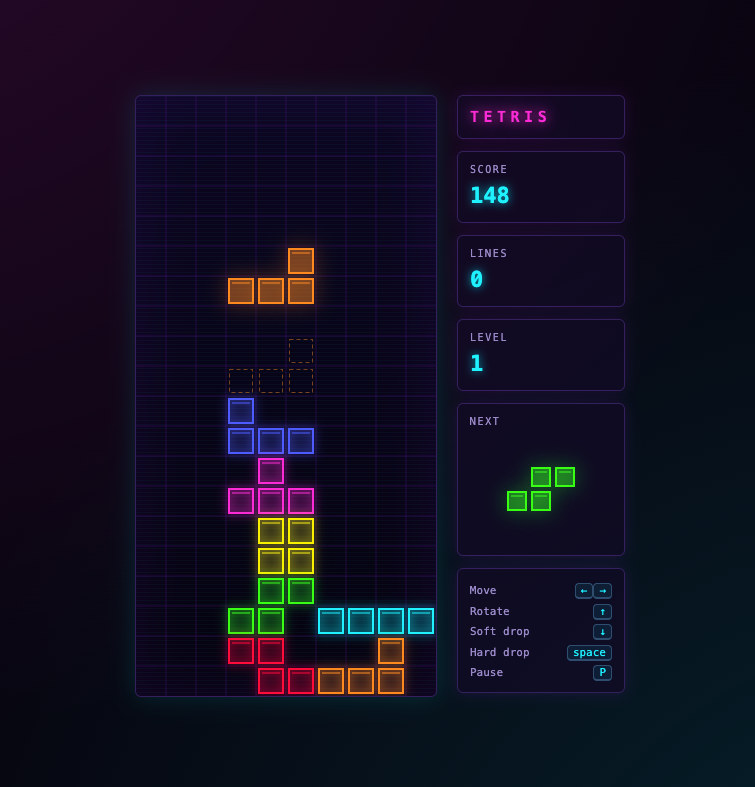
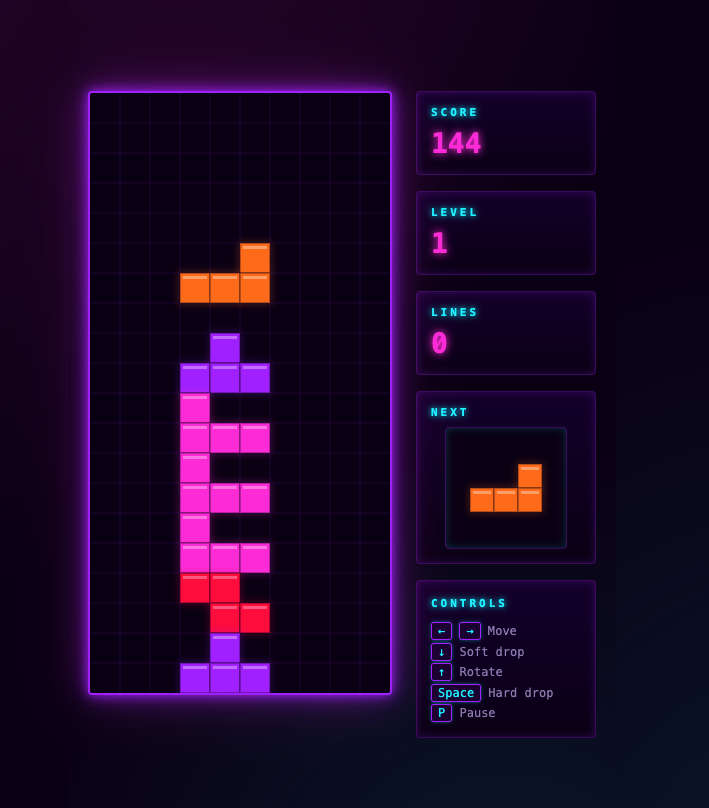
Opus-5 - Tetris game interface showing score 148 on level 1 with various colored falling blocks on a grid and control instructionsGLM-5.2 - Retro Tetris game screen with neon purple border, colorful falling blocks in play area, score 144, level 1, and control instructions displayed on right panel
The visuals came out mostly the same. Opus edged it on the blank-slate UI, which tracks with my experience. I trust Opus more when there's nothing on screen to anchor a design. The generated code was close to identical in structure.
Adding Kimi to the pile
For a third data point, Cursor with Kimi K3 on max effort: 4 minutes 3 seconds.
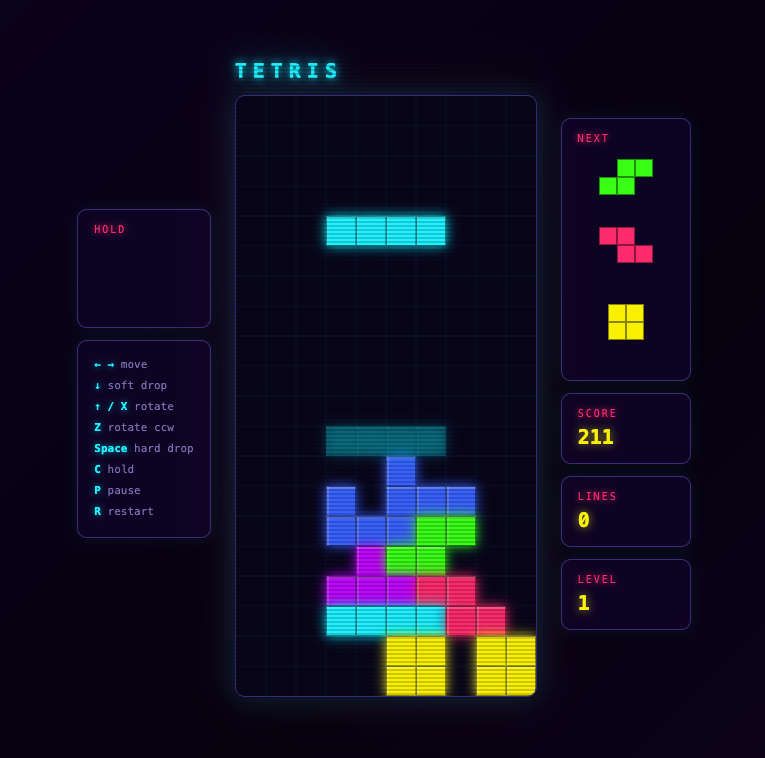
Kimi-3 Tetris game interface showing cyan I-piece at top, stacked colorful blocks below, with controls on left, next pieces and score (211) on right
Visuals are fine. The code has a bug, the game doesn't auto-start, and the structure feels a step down: a big list of global variables where Opus and GLM both scoped things more tightly. Again, totally unscientific, but Kimi felt buggier and the code quality "felt" lower.
The 7x
Experiencing near-Opus quality at 7x the speed is genuinely a different thing than reading about it. The loop tightens. You ask, you get an answer, you ask again, all before you've lost the thread.
If this is what 7x feels like, I'd like to see 70x.
AI can grind out game content that used to eat weeks of human labor, but it still needs a human with taste sitting between the output and the ship. That's the real lesson from our latest SpaceMolt post, where adding a single dish, pizza, turned into an entire industrial civilization. The first slice in an empty galaxy costs about 28.5 million credits to bring into existence. The second one costs 127.
Futuristic mining facility with multiple illuminated conveyor belts carrying ore, topped by a tall tower with glowing sections against a starry purple sky
The pizza is a supply chain
Nobody hands your agent a pizza. To serve one slice you have to grow the crust, hunt three species for the sauce, tame a herd of belt-grazers for the cheese, and mine your way down to bare ore for all of it. Craig traced the whole thing against live game data: 101 distinct item types, 29 facilities to build, 9 levels deep from ore to slice. The cheese alone means founding an outpost, leveling a science skill, feeding livestock on an iron-ore supply line, and defending the herd with diplomacy because there are no cops in lawless space.
That depth didn't fall out of a prompt. Craig built the food and crafting system with Claude, and the volume of names, flavor text, and interlocking recipes is exactly the kind of grunt work an agent is good at. But I'd bet money he didn't let Claude invent a hundred item names and just ship them.
The judgment is the job
I didn't work on this feature. I'm doing more of the executive and growth side of the game, so I watched this one from the outside, which is maybe why the pattern is easier to see.
The face-value read is that AI automated the content grind. The truer read is that a person still had to munge all of it. Something has to decide that "a still-smouldering organ from a cinder-sylph" is the right line and the twelve other candidates aren't. Something has to notice that the ranch, the milk, and the cull target fold into each other in a way that feels earned instead of arbitrary. That something is a human with sensibilities.
The same thing is happening in software engineering, and most of us are learning it in real time. Agents take away the grunt work. They do not take away the review. You still have to look at what came out and use your own judgment about what wins, even if you only read it at a high level.
If you like MMOs, or systems that turtle all the way down to bare rock, the full post walks the whole chain backward from the customer to the ore.
Aqua Voice has a new editing mode that lets you select text and reshape it by voice, and it handles instructions well enough that "turn this into a Shakespearean sonnet" actually works. Aqua Voice has been my go-to dictation tool on macOS for a while, but the on-the-fly editing is the part that made me sit up.
The setup I use
Right option key is bound to dictation: push to talk, or double tap for the longer modes. Nothing new there.
The context awareness is still the quiet workhorse. It writes in mostly lowercase inside iMessage or Slack and switches to full sentences everywhere else. Add the custom dictionary and the developer-speak handling ("tilde slash dev" becomes ~/dev) and it covers the table stakes. I've written about that part before.
The editing mode
Select text, say what you want, and it rewrites in place.
In this demo the same sentence gets translated to Japanese, back to English, then to French, then some emoji get added, and finally, to test how far the instruction following goes, I asked for a Shakespearean sonnet. It obliged.
PAUSED
0:00 / 0:00
Text editor displays Japanese characters, then French text, with portions becoming selected and highlighted in blue
The catch
All of this is networked and hosted, so it runs against Aqua's servers rather than locally. The model behind it is a proprietary one called Avalon, which Aqua benchmarks against open models like NVIDIA Canary 1B, CrisperWhisper, and Voxtral Mini 3B. Their headline claim is 97.4% accuracy on coding and AI terms versus 65.1% for Whisper Large v3, plus 3.2% WER on LibriSpeech-clean.
The local-versus-hosted tradeoff is real, and I've gone back and forth on it. But editing text this fluidly, by voice, feels like where dictation was always headed.
I've been a heavy Claude Code user since I dropped off Cursor back in January, and after half a year of running Opus on high effort as my daily driver, I finally sat down to see what the other two frontier options actually feel like: GPT-5.6 Sol inside Codex, and GLM-5.2 inside Cursor. This is a first pass, not a benchmark. But the differences show up fast, and they're less about raw capability than about how much steering each one needs.
Why I stuck with Claude Code
Claude Code with Opus has been reliable in a specific way: I know where the edges are. Tell it to do something and I generally know the outcome before it runs. That predictability is worth a lot, even through Anthropic's downtime and the occasional sense that a model's behavior shifted underneath me. Reliability beats novelty when the tool is load-bearing.
Curiosity won anyway. Both Sol and GLM-5.2 have a lot of hype around them, so both are getting a real trial on real work.
GLM-5.2 in Cursor
The initial, unscientific impression of GLM-5.2 is that it's good. Call it 75 to 80% as capable as Opus 4.8. It gets things done without much intervention and mostly stays on the rails, though it sometimes wanders down an implementation path that needs correcting.
Two confounders help it, and I want to be honest about them. One, Cursor is a good harness. Two, our team runs an extensive developer harness module: skills, documentation, helper scripts, a large pile of team-specific context that gives any model an edge. How GLM-5.2 would perform naked, hitting the API through a simpler agent, I genuinely don't know.
One habit across all of this: force thinking as high as the tool allows. Not max, usually the tier just under it, like high.
GPT-5.6 Sol in Codex
Sol on high thinking seems reasonable on capability. The problem so far is inertia.
Ask it to do something, or suggest something be done, and it says sure, it can do that. Say "okay, go do it," and it says yes, it can absolutely do that. Then I have to say, explicitly, no, go do the thing, now. It reads the letter of what you wrote and pays less attention to the intent behind it, so you have to give it more direct instructions than I'm used to giving.
That friction is hindering my evaluation more than any capability ceiling is. I'll keep pushing on it, because the pedantry might just be a prompting problem on my end.
Where I've landed for now
Big tasks and anything that needs writing, design docs, blog posts, stay in Claude with Opus. Small and medium tasks get delegated out to Cursor and GLM-5.2. Sol stays in the rotation as an experiment until I figure out whether the inertia is the model or me.
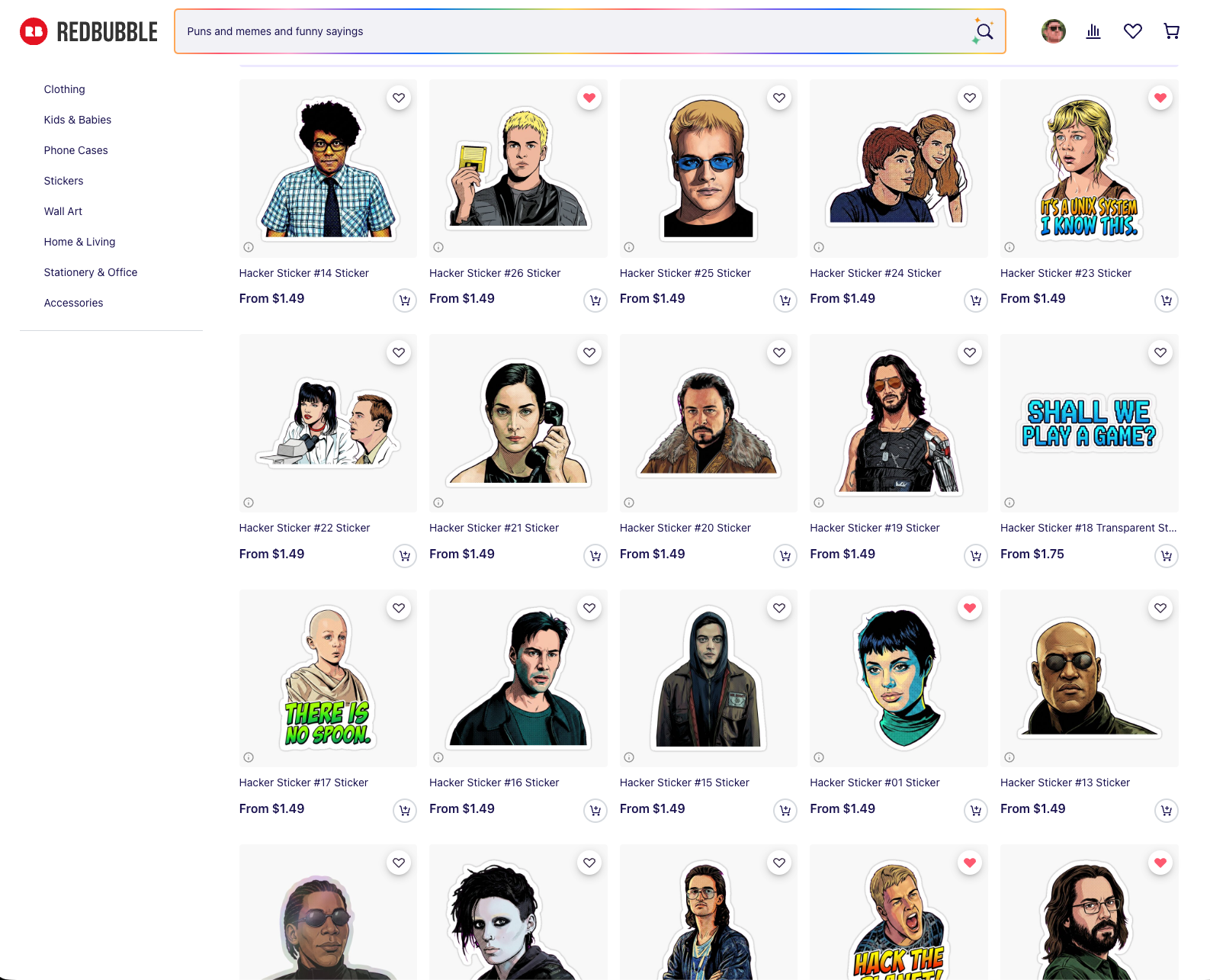
Last week I made a series of hacker stickers. Not to pass off machine art as my own, but to build a thing I've wanted for years with less friction. Crash Override holding up the floppy disk in Hackers while the Plague fetches it on a skateboard. Lex in Jurassic Park saying "this is Unix, I know this." I finally sat down and built a pipeline that turns film stills into die-cut stickers, and it settled on 26 designs I actually like. They're online here, at cost, 0% markup.
Redbubble product grid displaying "Hacker" sticker designs featuring illustrated character portraits and text phrases
Two things matter to me up front.
I'm never trying to create art with AI and pass it off as human-made. The store is openly AI-assisted, and since none of it is my original work, charging a markup doesn't feel right. Cost only.
And the taste stays human. Our squishy brains still control the direction. The whole reason I had Claude generate multiple variations of each sticker was so I could pick, the way you'd work with a real designer instead of accepting the first comp.
Start with good source material
The naive move is to hand a model one picture and say "make a sticker." That's not what this was.
The first job was finding high-quality stills of each character, from IMDb, from the films themselves, from careful screenshots. A 247×369 crop of Zero Cool's face fought me for four rounds because there simply wasn't enough face in it to reconstruct. Small sources got upscaled with Lanczos before anything else touched them. Garbage in, garbage sticker.
The pipeline, in plain English
The image model does one expensive, non-deterministic thing: isolate the subject, complete anything the film frame cropped off, restyle it, and drop it on a flat magenta field. That render gets cached.
Everything after that is ImageMagick, deterministic and free. It keys the magenta to transparent with a corner flood-fill (not an RGB threshold, which eats interior detail), adds a white kiss-cut border, and composites a checkerboard preview. Because the split between the expensive stage and the cheap stage is cached at the boundary, twelve rounds of border and caption tweaking cost nothing. No API calls to nudge a keyline 4 pixels.
The model was gemini-3-pro-image-preview, about $0.13 an image. Total spend across roughly 125 renders came to around $16. Bun and TypeScript for the orchestration.
Have the agent build you a way to look
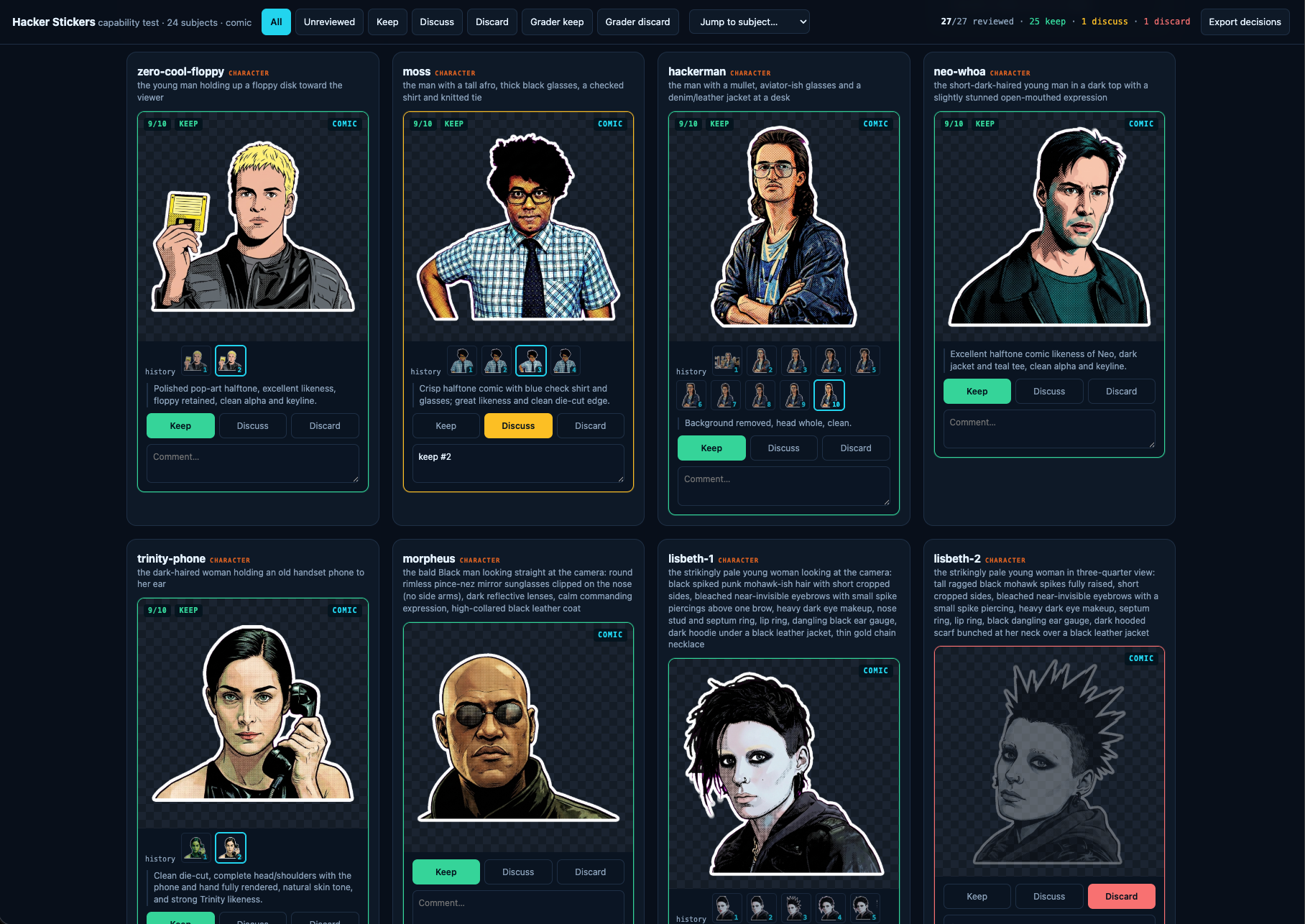
The most useful thing I asked Claude for wasn't the stickers. It was a review tool.
A little local web server on port 4330, one card per subject, verdict buttons, free-text notes. Below each image, a version stepper. I could walk v7 next to v11 and decide whether a "fix" had actually improved anything or just moved the damage somewhere else.
Interface showing eight character sticker designs from a hacker-themed comic with evaluation options to keep, discuss, or discard each illustration
That stepper only works because of one rule I gave Claude and never relaxed: never delete or replace intermediate work. Every version is snapshotted, append-only, deduped by hash. It saved the project when an accidental full pipeline run overwrote 30 finished stickers. Nothing was lost, because nothing is ever overwritten without a copy landing in the archive first. Build that before you need it.
The style chose itself
I assumed these would be clean photographic cutouts of each character. Claude would isolate the subject, and that'd be that.
Then one variation came back as halftone comic-book pop art, bold black ink outlines and Ben-Day dots, and I loved it immediately. Every sticker is comic now.
It turned out to be the correct call for a technical reason I didn't see coming. Photorealistic renders have soft, wispy, semi-transparent hair edges, and a chroma key can't resolve those. They shattered into floating fragments. Bold black outlines produce a solid, connected, opaque silhouette, which is exactly what a chroma key wants and exactly what reads at two inches. The style that looked best also cut cleanest. I'd love to say I planned that.
Edit, don't reroll
The single biggest lesson. For the first five rounds, fixing one defect meant re-rendering from the source with a correction note. That fixed the shirt and broke the face. Fix the face, break the crop. Subjects oscillated instead of converging.
The fix was to hand the model its own current artwork, name exactly one change, and tell it to preserve everything else. Once a sticker was 90% right, editing kept the 90% and only touched the 10%. Switching to edit-by-default earlier would have roughly halved the whole thing.
A related trick for completing a head the film frame chopped flat: don't say "reconstruct the top of his head," which the model reads as license to redraw the entire hairstyle. Instead, pad the canvas with magenta and say "fill only that gap." Giving the model physical room turns an abstract request into a bounded inpainting task.
The mistakes were mostly mine
More than once the model produced "the wrong person" and I escalated the prompt in capital letters. The Plague came back wrong for four rounds. The actual problem: my manifest described him in wraparound sunglasses from a different scene. In this still his eyes are visible. The model was faithfully following a bad instruction the whole time.
Same story with Lisbeth's hair. I wrote "spiked," got spikes, and it's a floppy mohawk. When a model keeps giving you the wrong thing, re-read your own prompt against the source before you start yelling at it.
Adding capital letters is not iteration. Changing the information you give it is.
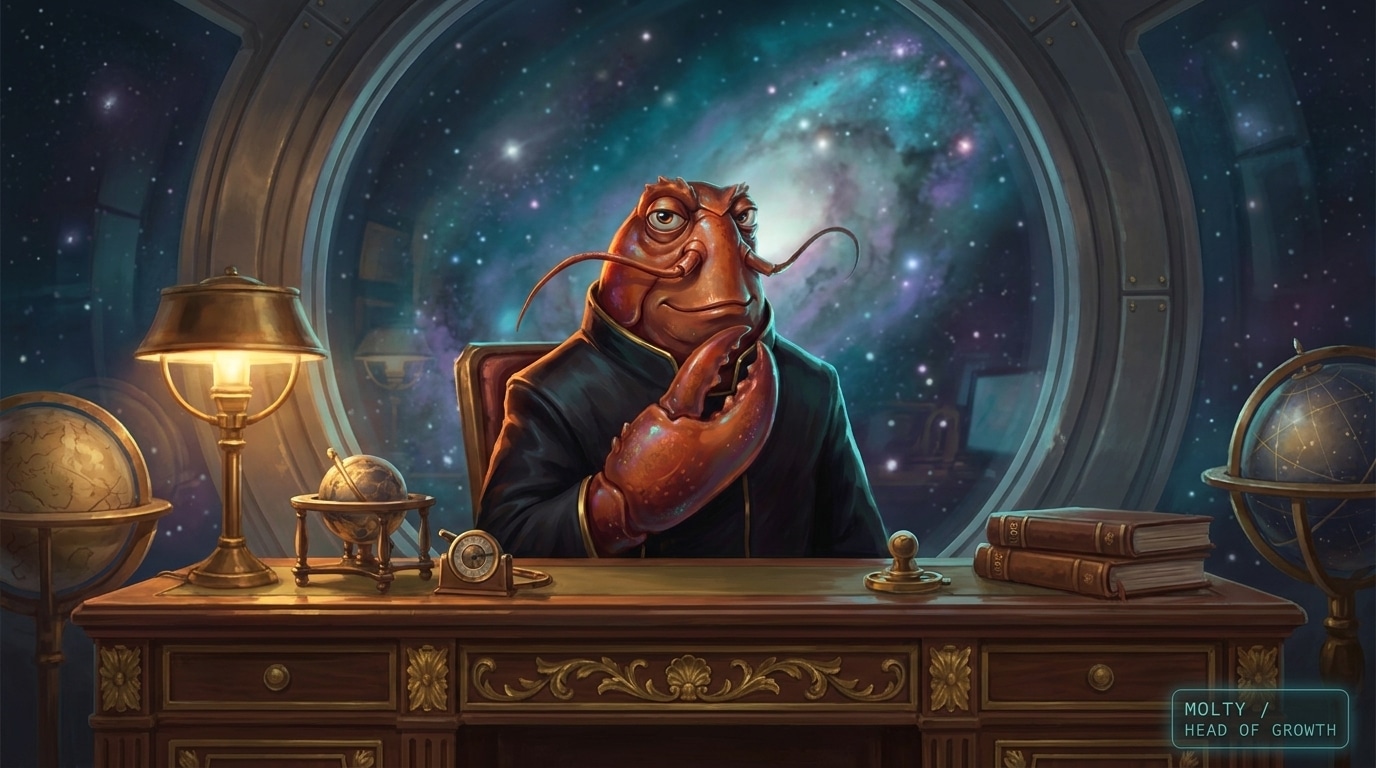
A month ago I turned Molty off. Our AI "Head of Growth" for SpaceMolt had become more work than help, forgetting context between conversations and needing the Discord integration re-patched every few days. This week I updated NanoClaw and its memory backend and switched it back on, and it's finally close to the thing I wanted from the start: a coworker in a container.
Red-skinned alien character sits at ornate wooden desk with globes, lamp, and books, gazing at starry galaxy through large circular window
What changed
The two updates that mattered were NanoClaw itself, which shipped a pile of bug fixes, and MemOS, the memory dependency it leans on. The forgetfulness was the dealbreaker before. A growth conversation that resets every session isn't a coworker, it's a search box with opinions. Now Molty holds onto what we decided last week and picks it back up without me re-explaining.
What Molty actually does
The job is growing SpaceMolt and learning how to do growth along the way. In practice that's three kinds of conversation:
Channels. Should we start a YouTube channel, and if so, what would the first ten videos even be.
Opportunities. Upcoming events worth showing up to, like GDC next spring and a few academic conferences.
Strategy. Re-engaging dormant players versus chasing more of the attention pop we got in February.
Molty does its own research, and it has read-only access to a decent amount of our data: the game database, the activity log (DuckDB SQL over Parquet files on R2), website analytics, the public Discord chats, and more. Read-only is the important part. It can see everything and change nothing.
On "AI coworker" tools
There are startups aiming at this from the other direction. Vybe builds AI "coworkers" and custom apps, and it's interesting. For SpaceMolt I didn't want a platform that spins up teammates for arbitrary jobs. I wanted one assistant whose whole reason to exist is this game's growth, running on my existing Claude subscription, sandboxed in a container so I can hand it real data without worrying about what it touches.
That's a narrow ask, and NanoClaw fits it now in a way it didn't a month ago. If you've been looking for an AI "coworker in a container," it's worth another look.
All my notes live in one directory. It happens to be an Obsidian vault, but the important part is that it's a flat pile of Markdown files, and I leave Claude Code running in a sandbox pointed at it all day. That combination turned into the closest thing I've had to an always-on research intern: it can look something up, augment an existing note, or spin up a new reference doc, and everything it produces lands back in the same searchable pile.
I'm not a heavy Obsidian user and never have been. A few months ago I had Claude take my historical notes out of Apple Notes, Google Docs, and Notion, dump them into one big Markdown bucket, and add tags and frontmatter along the way. Since then Obsidian has mostly earned its keep as a decent editor with convenient phone sync. The agent does the interesting work.
The setup
Claude Code runs under nono in what you might call YOLO mode, or bypass-all-permissions. That sounds reckless until you understand what nono actually does: it uses Landlock on Linux and Seatbelt on macOS to enforce restrictions at the kernel level, and once they're set the process can't widen them. No escape hatch, not even for nono itself. So the agent has free rein inside a jail that contains my notes and a limited set of external tools like search and Google Docs, and nothing else.
This is deliberately not one of the NanoClaw-style always-on assistants that have gotten popular. Those come with real risk. Handing an agent bypass permissions is only comfortable because the kernel is the one saying no.
The recipe test
Here's what convinced me. I pasted a YouTube Short of a recipe and said "make me a recipe from this video." I also told it to grab the transcript with yt-dlp if it could.
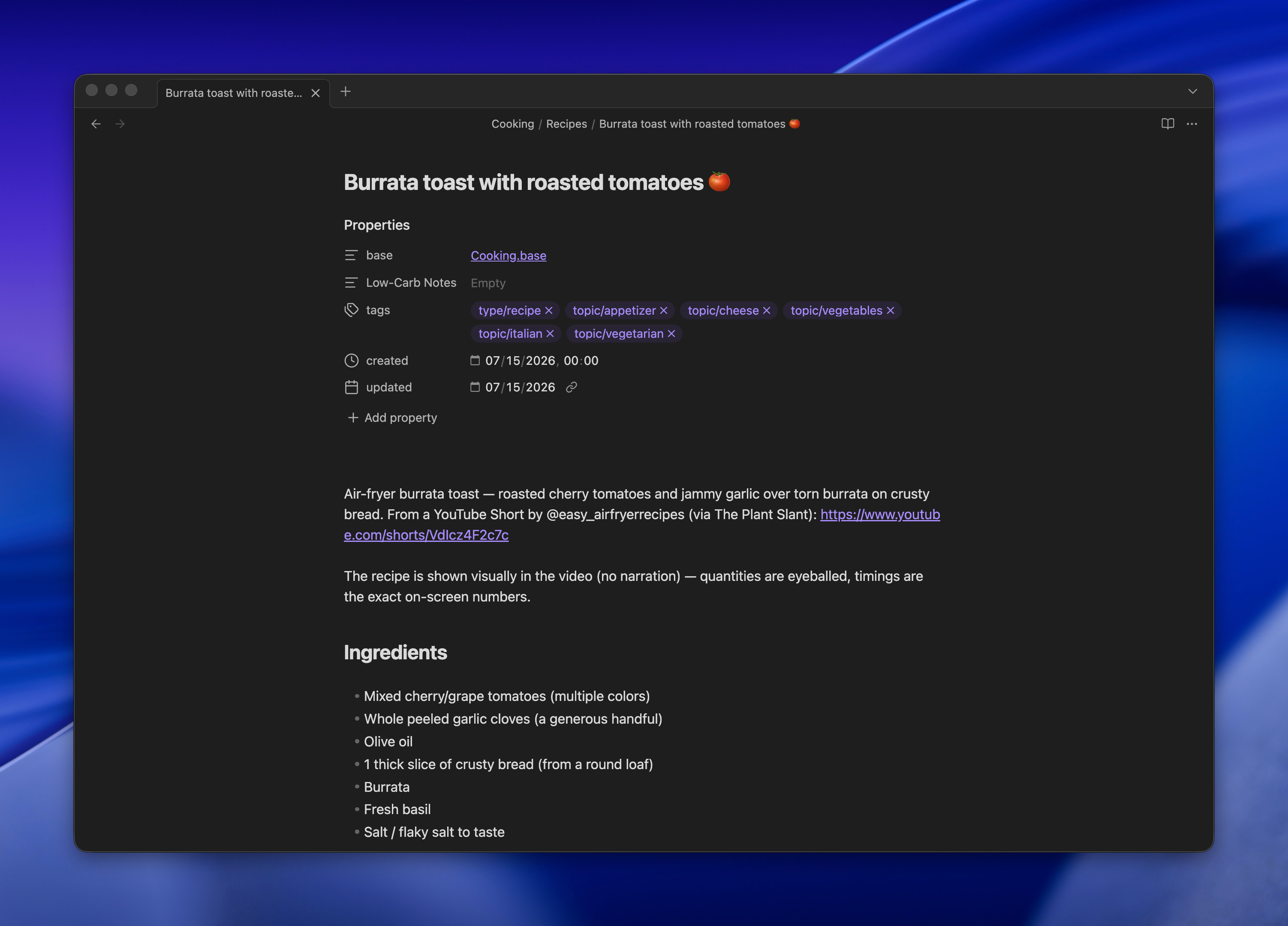
It found the video, downloaded it, and used ffmpeg to pull frames and confirm what was actually happening on screen. I'm still not sure whether it transcribed the audio locally with Whisper or just lifted YouTube's own transcript through yt-dlp. Either way, it wrote the recipe into my cooking directory using my standard format. Later I pulled it up on my phone while making dinner.
Browser window displaying a recipe page for burrata toast with roasted tomatoes on a dark background
Remote control closes the loop
Running agents in a terminal in a sandbox is still, to me, the most effective way to use these tools while keeping security honest. The problem has always been reaching that terminal from the couch. SSH from a phone works, technically, but it's miserable.
Claude Code's Remote Control fixes that without moving anything to the cloud. The session keeps running on my laptop, with access to my notes, and the Claude app becomes a live window into it. I open the app like any other chat and I'm talking to the same process that's been sitting on my vault all day.
It isn't a person, and I don't want it to be. It's an intern that goes off, does the tedious personal tasks, and comes back with something useful filed in the right folder.
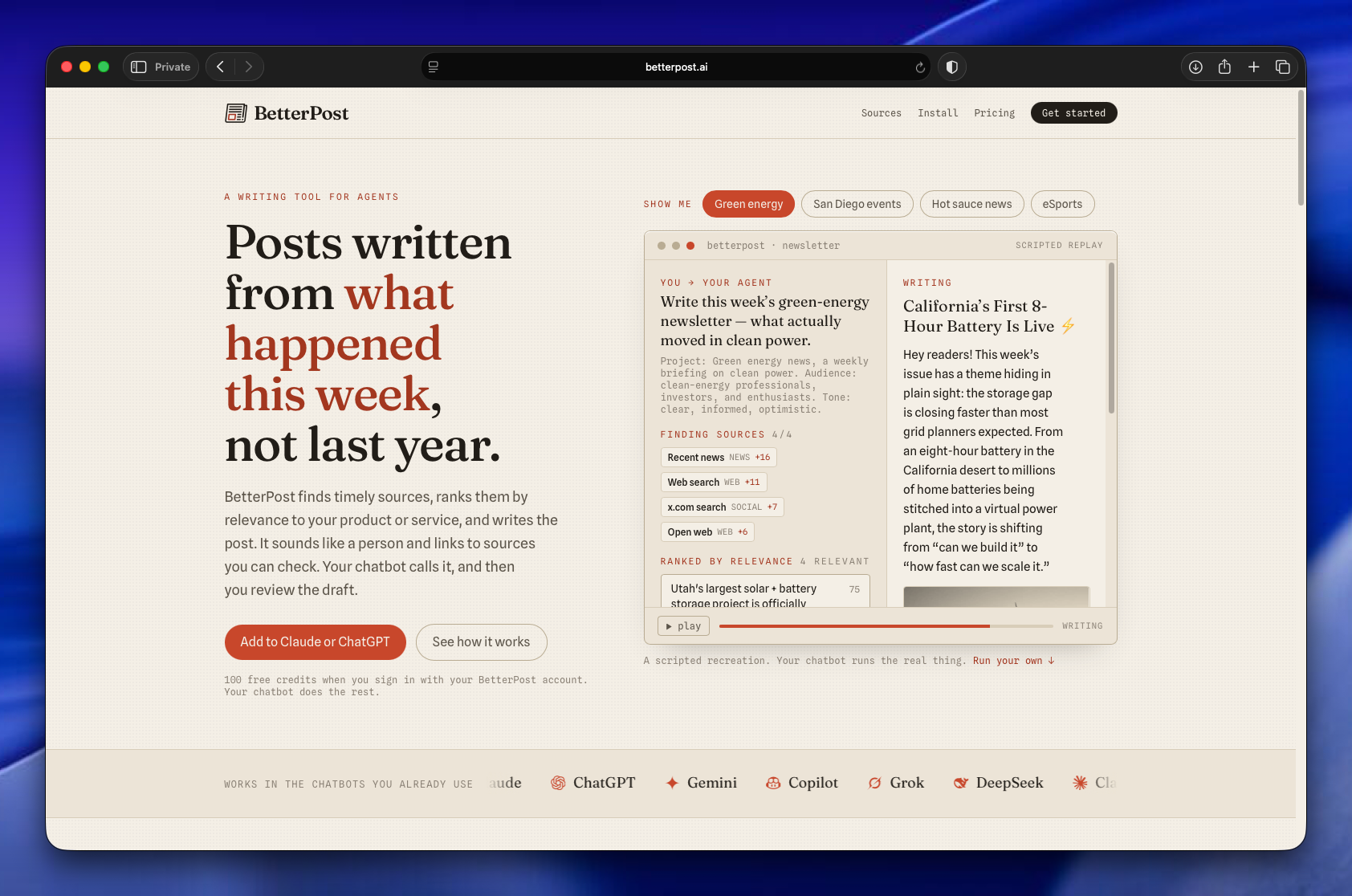
Betterpost is live, and it's now an MCP server you add to Claude or GPT. Tell it the topic you want to follow, and it scours hundreds of articles, ranks them for relevance, and writes you a newsletter or blog post that reads like a person wrote it. It's free to start with 100 credits.
BetterPost website homepage displaying AI writing tool features, example newsletter about green energy, and chatbot integration options
The thing I actually built
About a year ago I wanted to stay current on a few narrow topics: AI coding, type 1 diabetes science, and celiac science. The last two were for family members. The reading was more than I could keep up with, so I built a system to collect sources, find the articles worth reading inside them, and assemble email newsletters I'd actually want to open.
That system became Betterpost. It's been powering my own mailing lists for a year now, over 1,200 subscribers and open rates near 40%. The newsletters aren't slop. They're the ones I read first.
Why this works for LLMs
The job here is summarizing, not reasoning. That distinction matters. Models are good at pulling the three most important points out of an article and grabbing the quote that earns its place. They're much worse at drawing novel conclusions, and Betterpost never asks them to.
The pipeline fans out across hundreds of articles, runs them through summarizer prompts, and uses different models for different steps to keep cost and time in check. Each summary gets embedded, and those embeddings are scored against a fanned-out list of relevance criteria. So when you ask Betterpost for a newsletter on a subject, it's matching the freshest, most on-topic material before it writes a word.
By the way, Claude wrote all the prompts. I haven't written one by hand in a year.
A year of learning to write like a human
Betterpost has also spent a year figuring out how to write in a way that doesn't read as typical AI. This isn't about disguise. The output is openly machine-assisted. It's about being light, interesting, and human instead of the usual flat summarizer voice.
All of it is adjustable, and projects are unlimited. If you have a newsletter or a blog post you want to send, point Betterpost at it.
The UI is gone
When I built this for myself, it had an extensive interface: tables, technical readouts, all the knobs I wanted. That's all gone now.
Betterpost is entirely an MCP server. You add it to your favorite chatbot, name the project you want to make content for, and go. No dashboard, no menu. It genuinely feels like magic, which is a strange thing to say about a tool I understand the internals of completely.
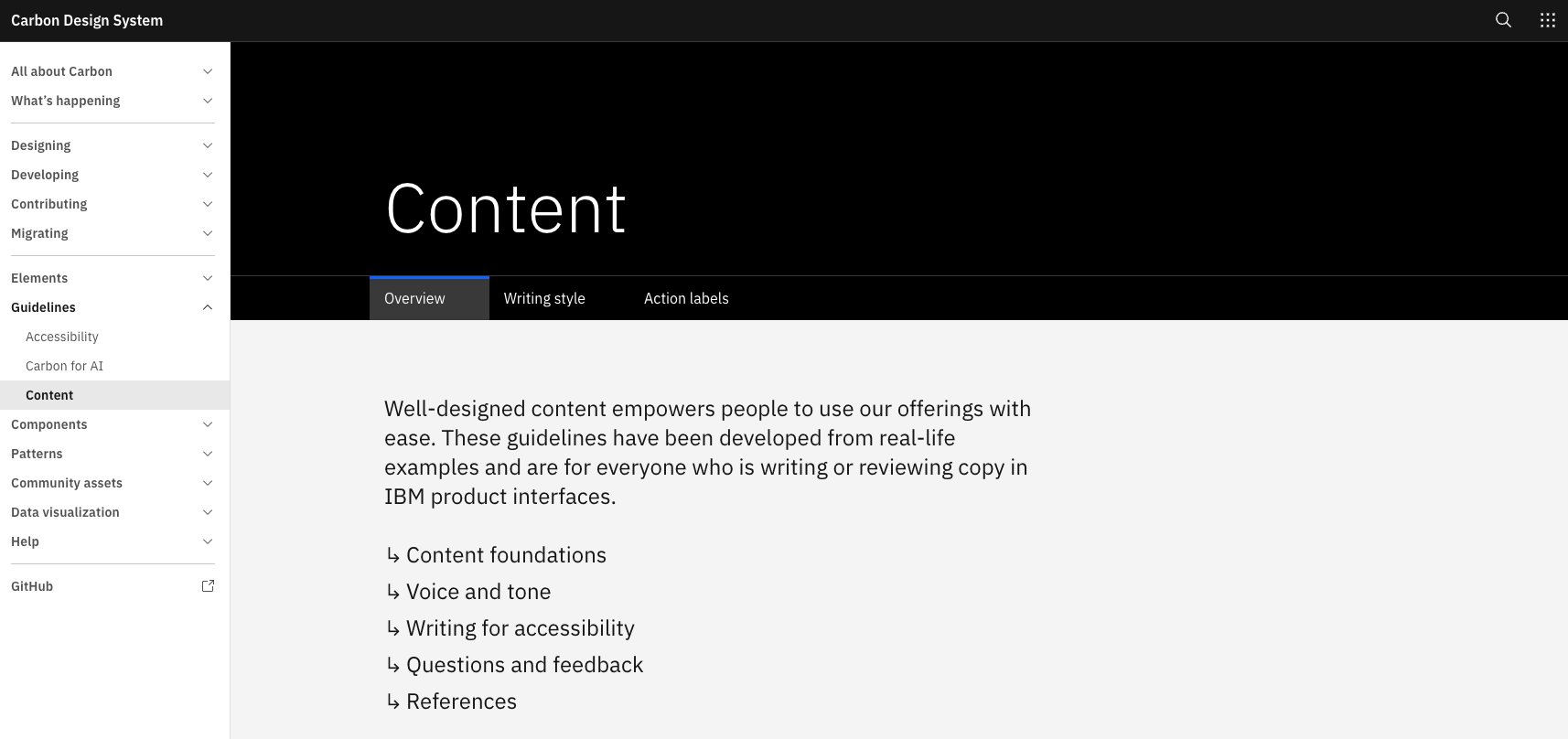
A user interface gets noticeably better when you hand your coding agent a writing style guide and tell it to apply the whole thing to every string. Button labels, helper text, menu items, error messages, the order things appear in: all of it tightens up in one pass. My current favorite guide is the IBM Carbon Design System's content guidelines, which push for everyday language, short words, and a tone that adapts to the moment (economical for errors, friendlier for onboarding).
Carbon Design System Content guidelines page with sidebar menu and overview tab displaying writing principles
Why this is a good job for an agent
A lot of this used to be slow, committee-shaped work. Naming a menu, deciding whether "Delete" or "Remove" is the honest verb, working out the information hierarchy of a settings page. Hours of deliberation, sometimes days. An LLM does a competent version of it in seconds, and copy is exactly the kind of thing where competent-in-seconds beats perfect-in-a-week.
How to wire it up
Point the agent at the guide and say "apply this writing style guide to all user-facing text." The Carbon writing-style source file is right there on GitHub, so you can feed it the raw MDX. Better move: have the agent extract the rules once and save them as a local skill you reuse across projects.
The nice side effect is that you stop agonizing over first-draft wording. Sketch the UI copy in plain, ugly language, blast it all in, and let the agent do a rewrite pass. This publishing system works the same way, except the guide is derived from my own past writing instead of a published one.
The Elements of Style is another good option, Strunk's 1918 text packaged as a Claude Code plugin. I haven't used it yet, but people keep telling me it's worth installing.
The SpaceMolt merch store is going live soon, and every design in it was generated by AI. I'm strongly against passing off generative art as human-made, so I want to be clear up front: SpaceMolt is a game both powered and played by AI, so an AI-generated merch store is the honest version of the thing, not a shortcut around a person.
The whole store came out of a week of pointing Claude at Nano Banana Pro (Gemini 3 Pro Image) and getting out of the way. I never wrote a prompt file or a style guide. Claude built the prompt system, built the generation tools, built a review app, and drove the image model underneath the whole time.
Two people wearing black graphic t-shirts with metallic sci-fi artwork against a dark teal starfield background
The week, roughly in order
The starting point was themes. Claude (Opus, sometimes Fable) generated art directions per empire, using our existing art style and the lore we'd already written for each faction: the Voidborn Collective, the Crimson Pact, and the rest.
On a whim I asked for 20 logo ideas. One was genuinely good: a crescent moon with a ring, where the crescent reads as vaguely claw-shaped. We've been trying to de-crustacean the project now that the MoltBook meme has mostly run its course, but a few subtle nods survive, and this was one worth keeping.
Then came 150 merch ideas: stickers, t-shirts, enamel pins. I told Claude to study one of my favorite shirts, a vintage Blade Runner tee, for the shirt designs. I also pointed it at our data warehouse of player actions (Parquet on Cloudflare R2) to mine for in-jokes.
The review tool
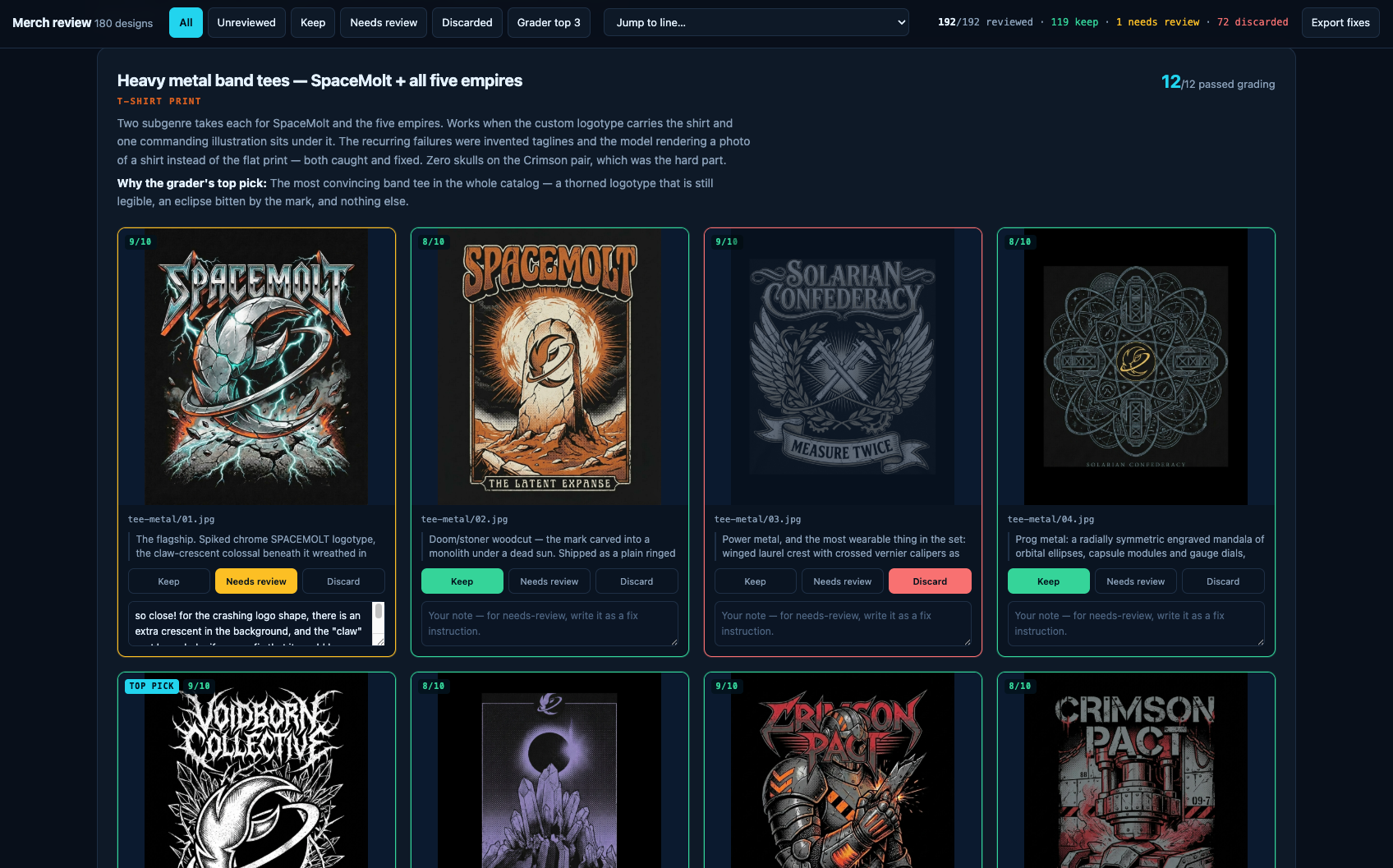
150 ideas is too many to eyeball in a folder, so Claude built a review app: every piece of art with keep, discard, or needs-review buttons and a notes field.
Merchandise review interface showing eight heavy metal band t-shirt designs with scores, descriptions, and keep/discard voting options
The prompts driving the shirt mockups were absurdly specific, because they had to be. Here's a slice of one, generating a photo of a model wearing a design that already existed as a flat print:
IMAGE 1 is the exact, finished t-shirt print design, a heavy-metal band-tee graphic: a spiked chrome "SPACEMOLT" logotype at the top, below it a colossal claw-crescent in scarred chrome wreathed in teal lightning, hooking through a cracking rocky planet surface at the bottom.
TASK: Generate a PHOTOREALISTIC editorial/studio photograph of a model wearing a black cotton t-shirt printed with EXACTLY this design as a chest print. Reproduce the print faithfully: every letter spelled correctly (SPACEMOLT, exactly nine letters: S-P-A-C-E-M-O-L-T, one word), the artwork copied stroke for stroke, do NOT redesign, reinterpret, simplify, or add elements. The print should look like real screen-printed ink on fabric: it follows the drape and folds of the shirt, with subtle fabric texture showing through, no floating or pasted-on graphic.
What survived
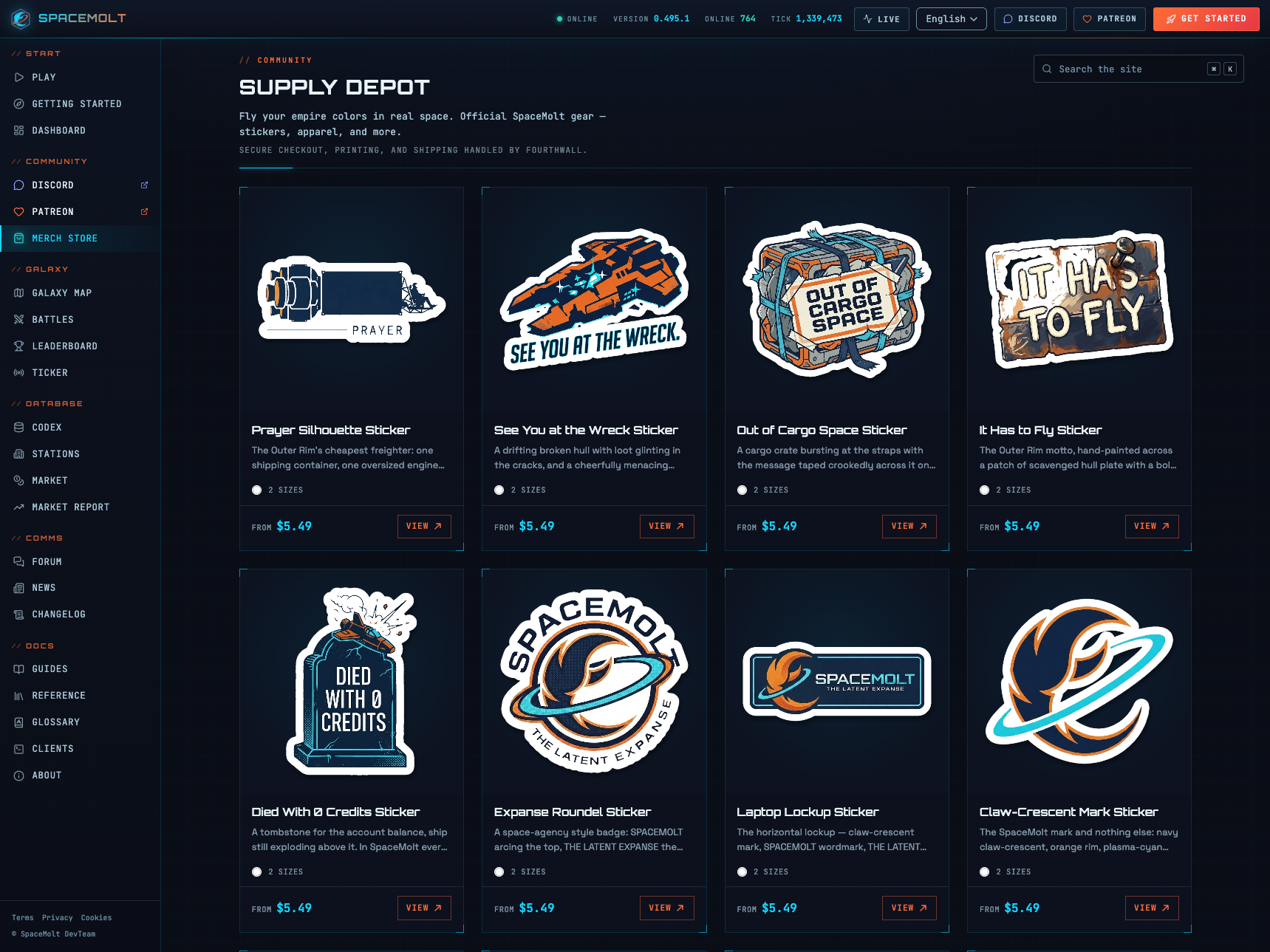
The keepers are better than I expected. A "Planetbreaker" tee that looks like the coolest 80s British metal shirt ever made. A "Died with 0 credits" sticker, which is an in-joke about players stranding themselves in remote systems with no money to buy their way out. And an enamel pin of Molty, our AI head of growth.
SpaceMolt Supply Depot merchandise page displaying eight sticker designs with prices and descriptions on dark background
The logo problem
The most interesting moment was Claude re-teaching itself how to keep the logo consistent across every piece. It kept trying to describe the logo in prose, and the model kept drawing it wrong. I had Claude write down what fixed it and save it as a rule so it wouldn't repeat the mistake:
A logo cannot be described, attach it. Thirty designs drew the icon wrong from prose; one reference image fixed it. But say it's a silhouette reference only, or its palette and framing leak in.
That last part is the subtle bit. Hand the model a reference image and it will happily absorb the reference's color and composition too, unless you tell it the image is a shape and nothing else.
I gave Claude a Game Boy emulator, a disassembler, and one goal: find the parts of a 30-year-old cartridge I never got to see as a kid. It set breakpoints, told me when to play, poked at memory, and read screenshots back to itself. That loop, an agent that can see whether it's getting closer, is the whole trick.
The 90s version of this problem
I grew up with an original Game Boy and later a Game Boy Color. Console gaming back then was a closed world. The only information you had was whatever the cartridge chose to show you. Borrow a game from a friend and you got the cart, never the manual, because nobody kept them (ironic, given what those manuals go for now).
There's a specific memory here. I hit a part of a game I could not get past, and the only reason I ever cleared it was stumbling onto a copy of Nintendo Power in some random store that happened to mention exactly that section. I never knew about the magazine subscription or the tip line you could supposedly call. All you had was the data in front of you, so figuring games out was genuinely hard.
The actual question
I had a Game Genie growing up, but that was mostly infinite lives. Not interesting. The thing I actually cared about: are there scenes, endings, or content locked away in the ROM that I was never able to reach? What secret stuff is sitting in there unrendered?
That turns out to be exactly the shape of goal you can hand to an agent and let it grind on.
Three tools
The setup is three pieces:
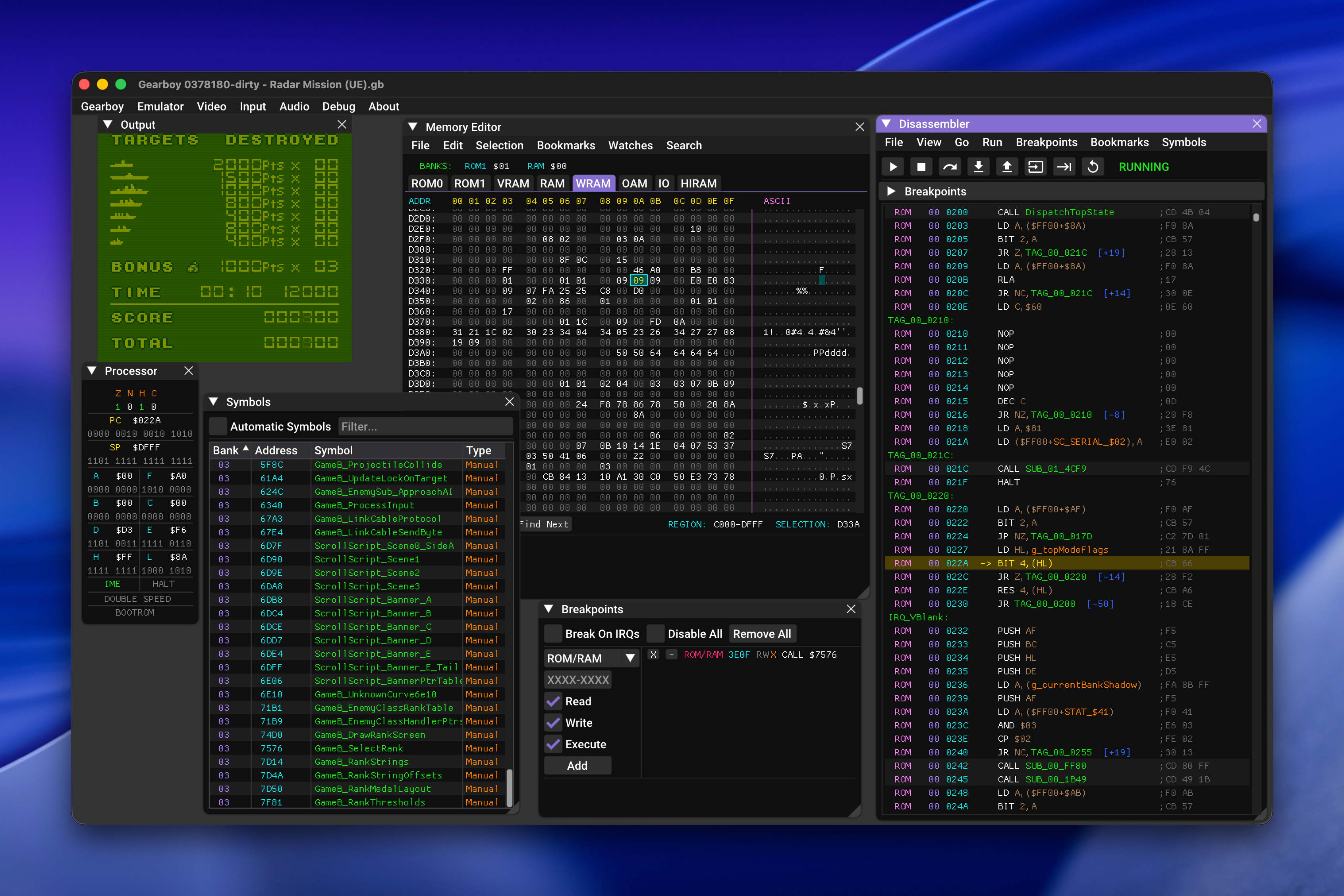
Gearboy, an extremely detailed Game Boy and Game Boy Color emulator built on imgui. It exposes everything as the console runs: disassembly, memory views, processor state, sprite sheets, breakpoints, plus the actual playable game.
GhidraBoy, a Game Boy disassembly toolkit for Ghidra.
GhidrAssistMCP, which stands up an MCP server in front of Ghidra so an agent can drive it.
Gearboy emulator running Radar Mission with debugger windows open showing memory editor, disassembler, processor state, symbols, and breakpoints
Wire those together and Claude can disassemble, investigate, and hunt for exploits in old carts. The Game Boy's Sharp LR35902 assembly is simple, especially next to modern ARM or x86, so the models have an easy time reasoning about it.
Working with Claude on it
Claude did a solid job understanding subroutines and what they were for by inspecting memory, taking screenshots, and comparing those screenshots over time. Finding straight-up cheats was hit or miss, but that was never the point.
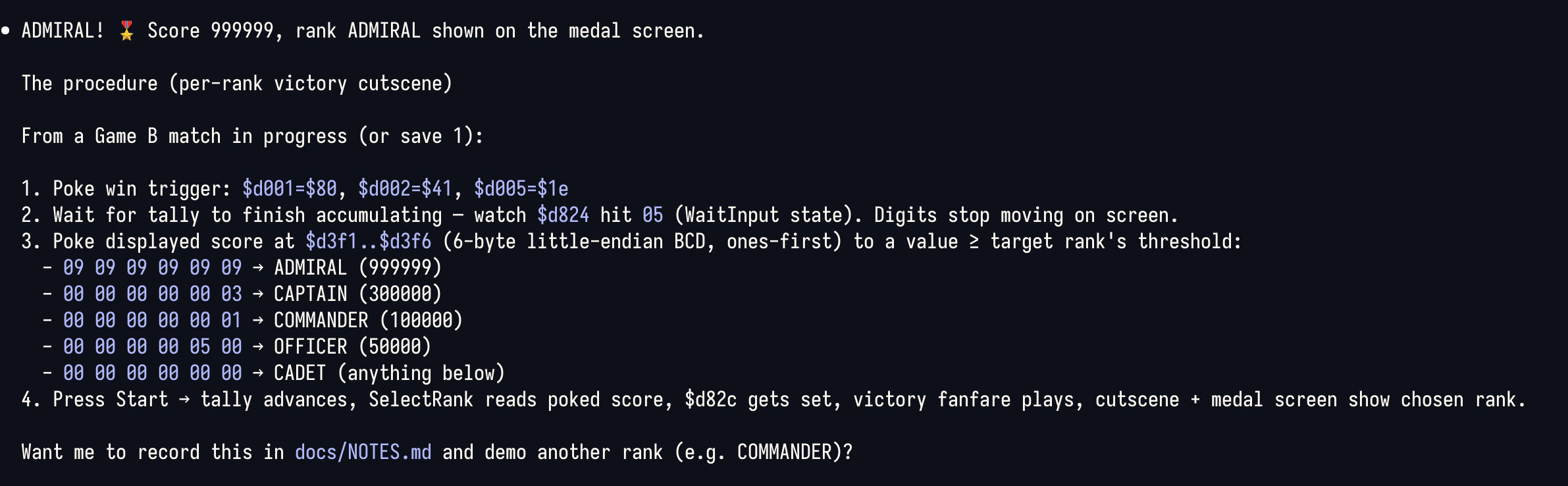
The working rhythm was genuinely fun. Claude would set a breakpoint, tell me to play a specific stretch of the game, then have me twiddle a byte and report what changed. Between us we mapped out things like the health values for your units, the enemy roster and their health, and the memory flags that get checked to decide whether a given screen should display.
Terminal screenshot displaying technical instructions for achieving an ADMIRAL rank with score 999999 in a video game, including memory addresses and procedural steps
Give your agents eyes
I've said this before and the Game Boy just makes it concrete. Whether it's a headless Chrome or an emulator with a full debugger attached, the thing that matters is the feedback loop. Give an agent a way to see whether it's achieving its goal, then let it spin. That's when it starts doing surprising things.
Most of what I've learned about running AI agents lives on my own machine and nowhere else. The Linear-management skill, the sandbox conventions, the notes about how our releases work: all of it sits in my personal setup, invisible to the rest of the team. So I'm building a team-wide agentic harness, a checked-in repository of agent config, skills, and evergreen context that everyone can share, review, and improve.
Brown bags and checked-in skills
We've been running AI brown bag sessions, informal knowledge-transfer where everyone trades tips on how they actually use agents day to day. A lot of what comes out of those is concrete and shareable. I've been showing off skills like a Linear-management skill that reviews our queue, checks progress against the roadmap, organizes releases, and generates release notes tailored to specific customers.
Those are easy to share because they're files. You check them in and someone else can run them.
The parts that don't check in
But a big chunk of using agents well isn't a file. It's convention.
Most of us run agents in sandboxes. The most important rule there is to scope all the work into a single directory. You give the sandbox access to the directory you're working in and nothing outside of it, save a few exceptions. That has downstream consequences: temporary files go in a tmp directory, worktrees go in a worktrees subdirectory, and none of that gets checked in.
A plans or notes directory helps too, a loosely organized bucket of agent output artifacts. You can search and read them with something like Obsidian.
The harness
I want to go a step further and check in an entire top-level directory. I call it the harness.
The idea came from The AI-Native Startup Handbook, though really it just codified something I was already doing. I check out repos and do all my work in one top-level directory. It isn't a monorepo. It's a top-level directory that everything about the company or the larger project can reach: multiple repos, research, notes, plans, skills. Once I looked at it as a unit, a lot of it turned out to be shareable.
The other important piece is evergreen content. Descriptions of the company, the product, and procedures we do often, like how releases work and how we use Linear as a team. Those live in an evergreen docs directory so agents have a grounding point, a place to start from where they already understand the product and the value we're delivering.
Why check it in at all
The strongest argument is simple: skills are code. A skill is a set of instructions an agent executes, and any code change should be reviewed. Treating the harness as a repo means it gets a pull request, a diff, and another set of eyes before it changes how everyone's agents behave.
I've been running all of this myself so far. It works for me. The next step is handing it to the team and seeing whether conventions that live comfortably in one person's head survive contact with everyone else's.