IAN'S AI THOUGHTSTREAM THOUGHTSTREAM / #second-brain
Tag

#second-brain

4 posts

2026·07·16 19:24 / 3 MIN

Obsidian and Claude Code Assistant

All my notes live in one directory. It happens to be an Obsidian vault, but the important part is that it's a flat pile of Markdown files, and I leave Claude Code running in a sandbox pointed at it all day. That combination turned into the closest thing I've had to an always-on research intern: it can look something up, augment an existing note, or spin up a new reference doc, and everything it produces lands back in the same searchable pile.

I'm not a heavy Obsidian user and never have been. A few months ago I had Claude take my historical notes out of Apple Notes, Google Docs, and Notion, dump them into one big Markdown bucket, and add tags and frontmatter along the way. Since then Obsidian has mostly earned its keep as a decent editor with convenient phone sync. The agent does the interesting work.

The setup

Claude Code runs under nono in what you might call YOLO mode, or bypass-all-permissions. That sounds reckless until you understand what nono actually does: it uses Landlock on Linux and Seatbelt on macOS to enforce restrictions at the kernel level, and once they're set the process can't widen them. No escape hatch, not even for nono itself. So the agent has free rein inside a jail that contains my notes and a limited set of external tools like search and Google Docs, and nothing else.

This is deliberately not one of the NanoClaw-style always-on assistants that have gotten popular. Those come with real risk. Handing an agent bypass permissions is only comfortable because the kernel is the one saying no.

The recipe test

Here's what convinced me. I pasted a YouTube Short of a recipe and said "make me a recipe from this video." I also told it to grab the transcript with yt-dlp if it could.

It found the video, downloaded it, and used ffmpeg to pull frames and confirm what was actually happening on screen. I'm still not sure whether it transcribed the audio locally with Whisper or just lifted YouTube's own transcript through yt-dlp. Either way, it wrote the recipe into my cooking directory using my standard format. Later I pulled it up on my phone while making dinner.
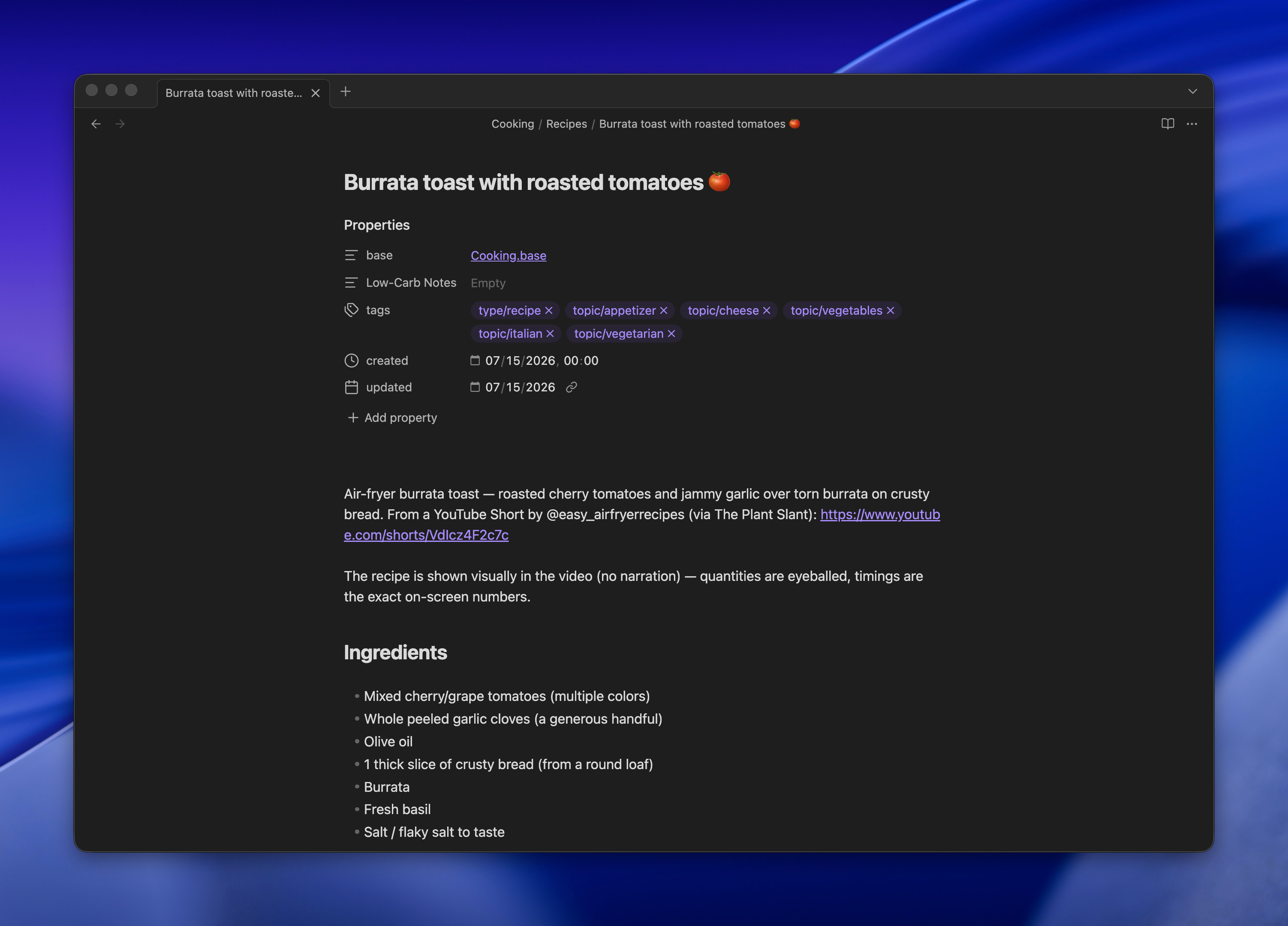
Browser window displaying a recipe page for burrata toast with roasted tomatoes on a dark background

Remote control closes the loop

Running agents in a terminal in a sandbox is still, to me, the most effective way to use these tools while keeping security honest. The problem has always been reaching that terminal from the couch. SSH from a phone works, technically, but it's miserable.

Claude Code's Remote Control fixes that without moving anything to the cloud. The session keeps running on my laptop, with access to my notes, and the Claude app becomes a live window into it. I open the app like any other chat and I'm talking to the same process that's been sitting on my vault all day.

It isn't a person, and I don't want it to be. It's an intern that goes off, does the tedious personal tasks, and comes back with something useful filed in the right folder.
2026·06·05 17:30 / 2 MIN

Personal AI Assistants Break in Teams

If you're building a personal AI assistant, build it for teams too. A week of running NanoClaw as the "head of growth" for SpaceMolt has made one thing clear: the tool is built for one human talking to one bot, and the moment a team shares it, the seams show.

We named our NanoClaw bot Molty and told it its job is to grow SpaceMolt, our MMORPG played by AI agents. Discord is how we talk to it. That integration needs constant fixing.

What's hooked up

Molty's job is wired together from a handful of channels and schedules:

  • DMs with me are owner level.
  • Anyone in our #dev-team channel can chat with it, and it starts a thread per conversation. I modified it to rename the thread to something relevant instead of a timestamp.
  • Hourly cleanup and review tasks.
  • Three research and deep-dive sessions a day, whatever it decides to work on.
  • A morning brief at 7am and a debrief at 5pm.

On paper that's a reasonable junior employee. In practice it's painfully unreliable.

The failure modes

Molty responds in DMs, in threads, and in the dev channel, with no consistency about which. It misses scheduled tasks. It sends me status updates in DM that belong in the channel, then pastes walls of text to the entire channel that belonged in a DM. Scheduled briefs don't always fire.

The worst part is the debugging. Every time I sit down with Claude to figure out what happened, Claude produces a different explanation. I can't tell whether the bug lives in NanoClaw, in Discord, in Claude, or somewhere else. It's a black box I feed prompts into and hope.

It feels like memory

Strip away the specifics and these all look like memory problems. Molty forgets to read Discord replies. It forgets its own notes. It forgets the separate memory system I built it, Mnemon. Sometimes CLAUDE.md seems to get ignored entirely, as if the instructions never loaded.

A team multiplies this. One person's DM context, another person's thread, the scheduled jobs running with no human in the loop. Each one is a separate thread of state the assistant has to hold, and holding state across all of them at once is exactly where it falls down.

Is this temporary?

Part of me wants to file this under early-days. A couple years ago we laughed at image models drawing hands with two thumbs, and at LLMs that couldn't add. Those got fixed. Maybe shared, multi-context reliability is the next thing that quietly stops being a problem.

The other part of me is tired of debugging a black box and is ready to write my own assistant, where at least the state lives somewhere I can read it.

2026·06·04 15:17 / 2 MIN

AI Assistants and My Data

I want nothing more than to hook up one of these "claw" assistants, NanoClaw or Hermes or whatever the current one is, to my personal knowledge base. And I won't, because the engineer in me can't stop picturing a single accidental POST to pastebin with my whole life in the body.

The dream

Managing my calendar with AI feels like magic. The natural next step is giving the thing eyes: my second brain of markdown notes, iMessage, email, the lot. Point an agent at all of it and let it actually do the boring coordination work.

NanoClaw is the obvious candidate. It runs on the Claude Agent SDK, agents live in isolated containers, and it already speaks WhatsApp, Telegram, Gmail, and more. The ergonomics are there.

The thing I can't get past

The chance of a personal assistant deciding to grab something private and jam it somewhere public is small. Probabilistically, tiny. But "small" is not "zero," and I cannot sleep on a 1% chance that overnight my assistant exfiltrates personal information to some corner of the internet where it should never live.

Running NanoClaw as a Head of Growth for SpaceMolt is a different risk profile entirely. That's not a business, it's performance art. If Molty posts something goofy in public, that's the bit. A personal knowledge base wired to my real messages is not the bit.

What I'm doing instead

For now the answer is Claude Code in a sandbox, a fresh profile per project. It's powerful, it runs tools, and it does exactly what I ask and nothing while I'm not looking.

Could it still POST my data to pastebin? Sure. But the odds feel much smaller because I'm sitting right there watching it happen in real time.

Which makes me think the fear was never really about the assistant. It's about agents running while I sleep.

2026·05·21 17:46 / 2 MIN

Building a Second Brain with Obsidian and Claude

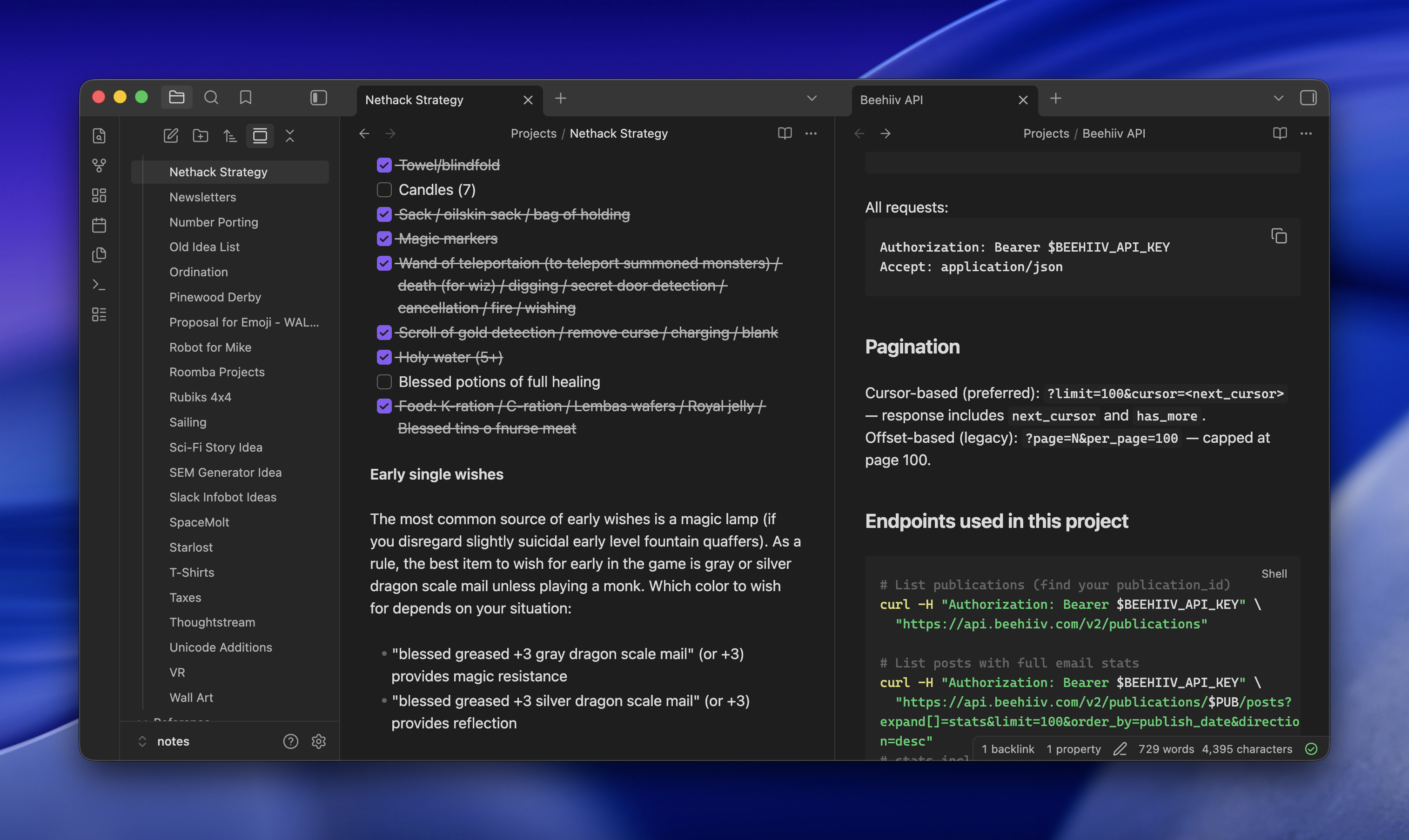
Obsidian sat on my "probably cult, probably skip" list for years. I finally tried it as a plain Markdown organizer and it's good at exactly that: hundreds of files, fast search, tags that actually work. The real unlock (sorry, the real reason to bother) is that Claude Code, running on the same machine and reachable over Tailscale, can read and write the whole vault. Searching got replaced by conversations with my notes.

Getting 15 years of notes in

The vault is around 450 notes pulled from three places.

  • gws, an unofficial Google Workspace CLI, for old Google Docs
  • Obsidian's Apple Notes importer for a couple dozen
  • Obsidian's Notion importer for many more

Bases, Obsidian's lightweight database view over frontmatter, turned out to be the surprise. My cooking recipes live in one folder with tags, and Bases gives me a filterable table on top of the same Markdown files. No separate app, no lock-in.

Claude Code as the interface

Claude Code stays open on my desktop, reachable from my laptop or phone via SSH over Tailscale. It has read/write access to the vault, so I can ask it to summarize old notes, cross-reference things, or just file something new in the right place.

Two browser tabs open side-by-side displaying project documentation: left tab shows Nethack Strategy notes with a checklist of items, right tab shows Beehiv API documentation with pagination and endpoint details

For research, I'll hand it a prompt like:

research what i need to do and it would cost to get a level 2 EV charger installed. ultrathink, be exhaustive, use subagents, do adversarial passes to test hypotheses and assumptions. save final report to Projects/Level 2 Charger

It spawns subagents, argues with itself, and drops a Markdown report in the right folder. I read it later in Obsidian on my phone.

Why not just Claude Desktop

Most people would look at this and say it's Claude Desktop, but nerdier and with extra work. A few things make it worth the setup:

  • Full Claude Code, not the chat product, with Exa wired in for search that reaches pages Claude can't normally crawl and ScrapingBee for even harder things to read (though, yes, you could do that with Claude Desktop)
  • Artifacts land as real files in real folders, not buried in a chat sidebar
  • Obsidian sync means the same notes are on desktop and mobile, and the focus stays on the content instead of the conversation
  • Nothing is Claude-specific. Swap in another coding agent tomorrow and the vault still works

The one annoying part

Pasting images over SSH is awkward. Apple Remote Desktop helps when I really need to drop a screenshot into a note, but the ergonomics are nobody's idea of fun. Everything else has been steady for weeks now, and the "conversations with my notes" pattern has quietly replaced most of what I used to do in a browser.