Sticky Notes for Claude Code
Building the new North Pole Security site, I kept hitting the same friction: reviewing a page, then typing out a punch list of fixes for Claude Code. Every item needed a page name, a location, and enough context to be actionable. So I had Claude build me a point-and-click sticky note system instead, and now I shift-click on the page, type a note, and it gets fixed. Less typing, more pointing.
What it actually does
The idea was simple. Wouldn't it be nice to leave sticky notes on the page, the way you'd flag a printed mockup with a pen? In a single prompt, Claude Code had nearly the whole thing built.
Each note captures what it needs to be useful: x/y coordinates, window size, the CSS selector under the cursor, and, because Astro emits dev-mode HTML attributes, the source filename and line number. All of that gets compiled into a server-side JSON file. Then a single skill command, /address-feedback, runs through every note with subagents.
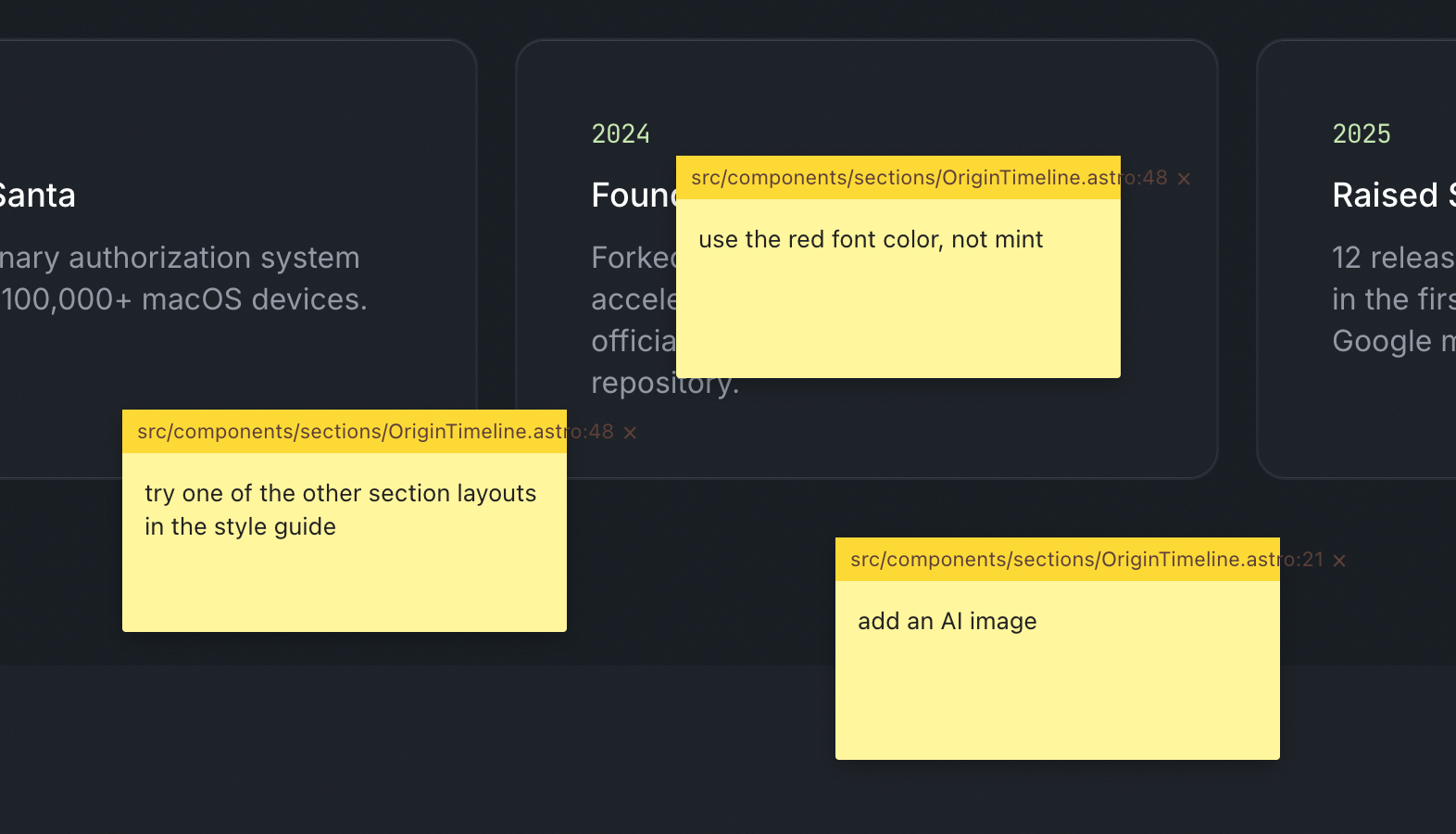
It works amazingly well. Fixing things is much faster, but the better part is collaboration. On a screenshare, when someone has feedback I shift-click, type their note, and if there's time I let Claude fix it while we keep talking.
Building your own tools is basically free now
This is part of a larger pattern: you build your own tools to become more efficient. That used to be a hard sell, because throwaway bespoke software was expensive. Most of us still carry that old cost around in our heads.
The calculation has changed. Spinning up a one-off tool is close to free, so the question of whether it's worth automating something tips toward yes far more often than it used to.
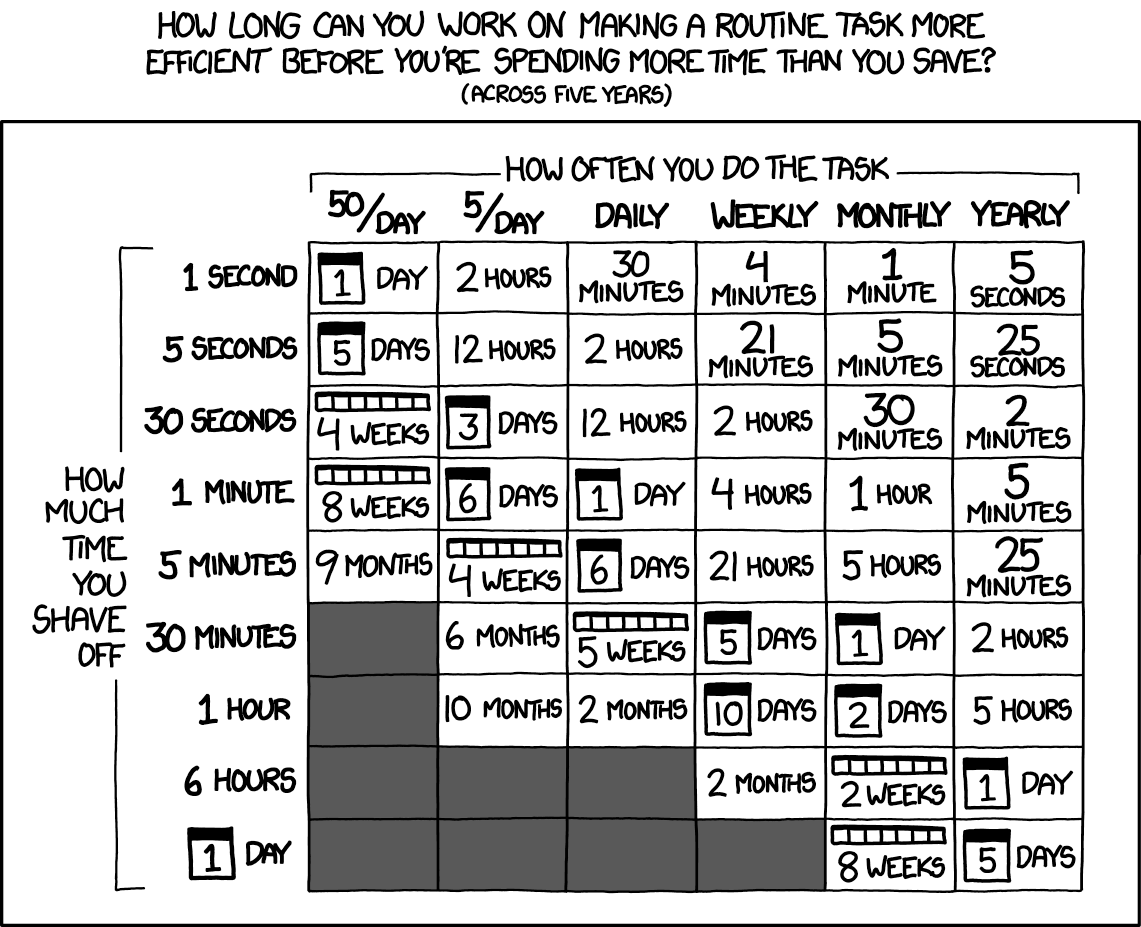
The old xkcd math still holds, but the y-axis just got a lot cheaper.
difit does the same trick for diffs
Someone showed me difit recently, and it applies the same idea to code review. Instead of typing your feedback into Claude, you open the diff in a GitHub-style UI and leave comments right on the lines. Those comments get handed back as a prompt, so Claude knows exactly where each change goes.
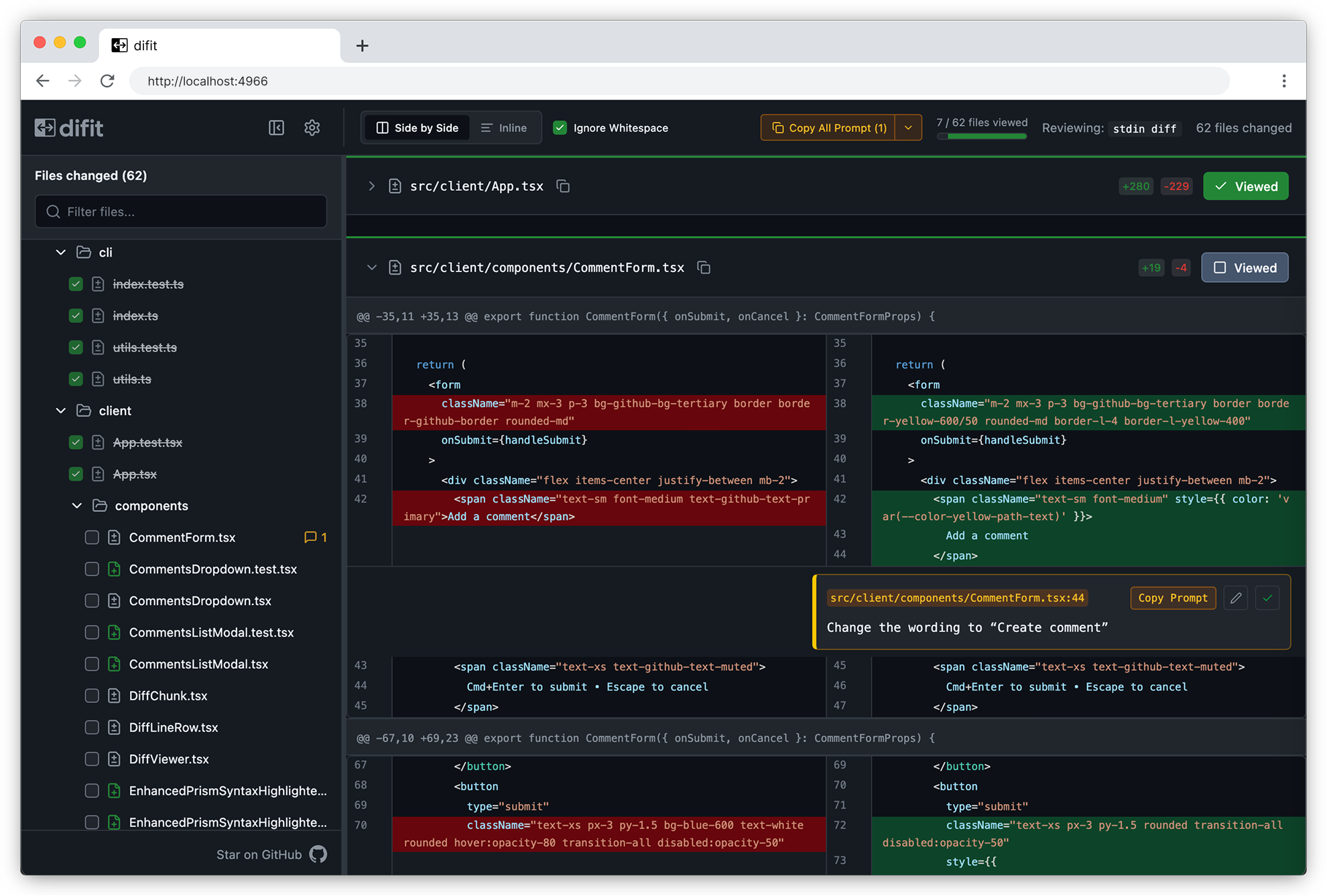
There's even a /difit-review skill for it. I'm going to try it right after I finish typing this.
One more Claude Code tip
If you aren't running /tui fullscreen, turn it on. Claude manages its own terminal interface instead of leaning on the terminal's, which makes scrollback and mouse clicks far less buggy and makes typing smoother. Run /tui with no argument to see which renderer is active.
Sketched by a human, rewritten with AI / claude-opus-4-8